
Get started with CMS 13 for users
Learn how to get started with Optimizely CMS 13 as a user. Access documentation, SDKs, and APIs to manage content and launch experiments.
Optimizely Content Management System (CMS) delivers web content management through an accessible UI that lets experienced and occasional users work efficiently with content. See also Release notes.
When your Optimizely system and related services are configured, you receive the permission keys and credentials to access the UI. Your configuration depends on which Optimizely platform products your implementation includes, such as CMS, Commerce Connect, Search & Navigation, and the Personalization suite.
Log in to CMS
As an editor or administrator, log in to your website through a specified URL, a login button, or a link. Enter your username and password in the login dialog box and click Log In.
After you log in, the available options depend on your implementation and access rights. The quick access menu displays when you are logged in.
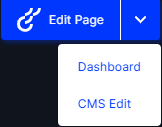
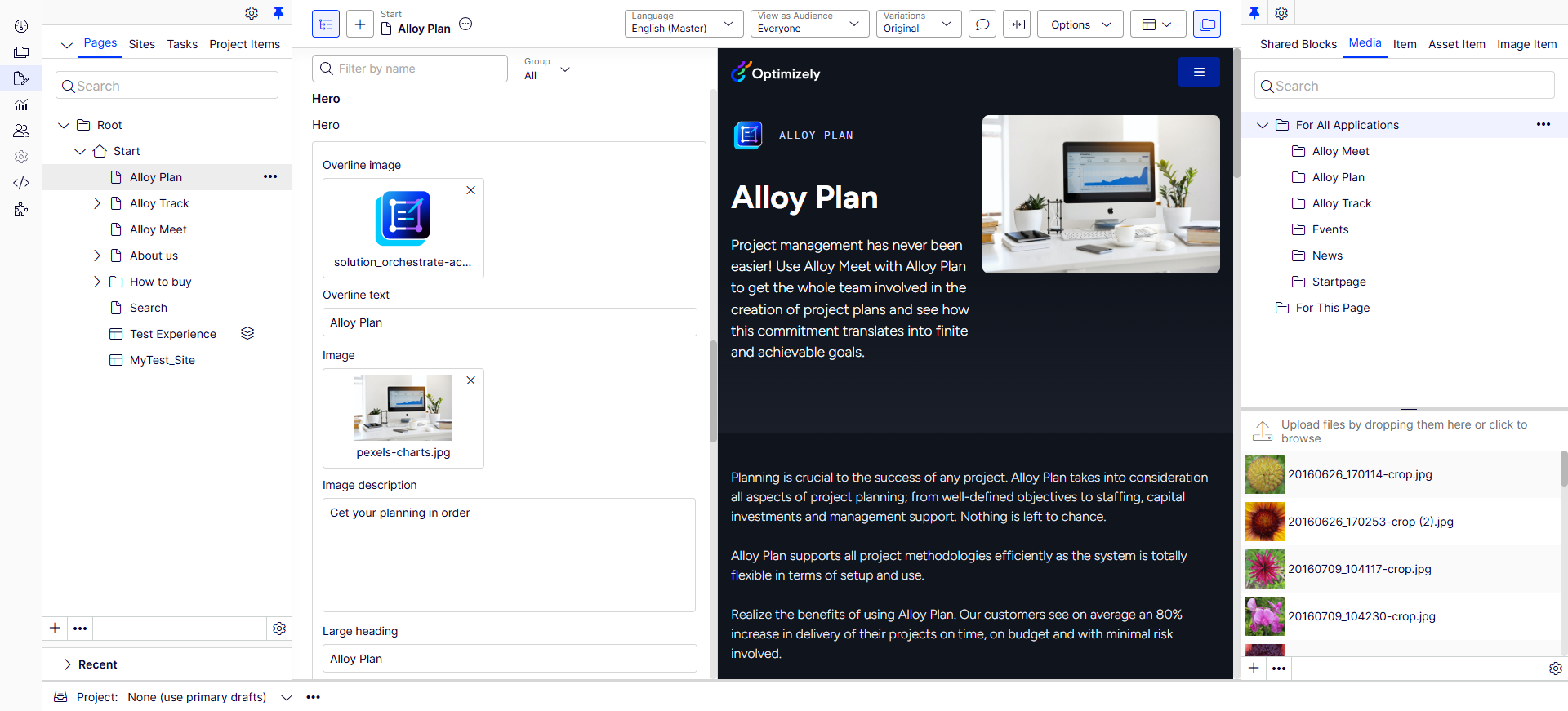
Select CMS Edit to open the edit view and other system components.
CMS implementations
CMS 13 integrates with other Optimizely products to extend content management, ecommerce, analytics, and personalization. Configure your CMS implementation with the following products:
- Optimizely Opal – An agent orchestration platform for working across Optimizely One. Opal connects to your workflows, recognizes your brand, and provides tools for marketing and digital tasks. Opal features incur credit charges.
- Opti ID – The single sign-on (SSO) solution for Optimizely products. Opti ID provides one login point to switch between Optimizely products with a single authentication and one location to manage users for each product.
- Optimizely Content Marketing Platform – Content Marketing Platform (CMP) brings teams together to share plans, collaborate on assets, and execute campaigns. CMP provides visibility into the entire content workflow, from brief to finalized content.
- Optimizely Digital Asset Management (DAM) – A centralized solution for storing, organizing, and sharing digital assets (including images, videos, and documents) that integrates with CMS 13. DAM provides metadata handling, filtering, search, version control, and asset renditions optimized for different platforms. DAM also enables asset tracking to monitor which CMP assets are in use. The embeddable DAM feature lets editors insert assets from the DAM library within the CMS edit interface. Optimizely Graph serves as the delivery channel for both CMS content and DAM assets to the front end.
Note
Opti ID is required to embed DAM in CMS 13. To sync DAM and CMS, you must first enable Optimizely Graph service capabilities on your instance. See Enable Optimizely Graph service to sync DAM and CMS.
- Optimizely Digital Experience Platform (DXP) – A cloud-first platform for high availability, performance, and connectivity with other cloud services and existing systems. DXP manages spikes in customer demand and adopts technology updates without disruption.
- Optimizely Graph – Uses GraphQL to provide search and filtering capabilities. The client application specifies the content it needs, making content consumption efficient.
- Optimizely Connect Platform – Optimizely Connect Platform (OCP) connects and syncs data between external systems and Optimizely products. OCP provides a UI for importing data, installing apps, and managing data syncs. The paid version of OCP also includes access to your OCP database.
- Optimizely Data Platform – Optimizely Data Platform (ODP) harmonizes customer data to provide a deeper understanding of customer behaviors in real time. ODP collects, stores, and surfaces the most relevant data for your business.
- Optimizely Commerce Connect – Manage products, discounts, and orders. Enrich product information with text and images, create discounts for sales campaigns, manage markets, and work with orders.
- Optimizely Configured Commerce – Manage products, discounts, and orders. Enrich product information targeted towards B2B customers with text and images, create discounts for sales campaigns, manage markets, and work with orders.
- Optimizely Apps – CMS 13 provides various apps (add-ons), such as Optimizely Opal chat, a TinyMCE spellchecker, and more.
Updated 2 months ago