
Views
Define views and components to build the CMS 13 editing UI structure.
Views define the structure and components of the CMS 13 editing UI. Use views to organize panels, gadgets, and other widgets into a layout that editors interact with daily.
Components in a view
A view is composed of several building blocks that define its structure and behavior:
- View definition – Sets up the main structure of a view.
- Component – A widget such as a page tree or a gadget.
- Container – A component that contains child components, such as a panel or a tab.
- Component definition – Provides metadata about a component, such as title and description, for display when an editor adds a component.
The following articles provide example implementations:
Load a view
Understanding the view-loading sequence helps troubleshoot rendering issues and optimize startup performance. When a view loads, CMS 13 follows this flow:
- Loads HTML and scripts for the page, including the global menu, module definitions, and the Dojo and Dijit libraries.
- Starts the modules. The shell module defines components such as
epi.routesandepi.dependency. - Fetches the current view definition through a request that returns the structural composition.
- Creates the widgets that form the UI, recursively based on the view definition.
Alter a view
Customize the editing experience by altering a view to add, remove, or rearrange components. The component definition includes plug-in paths or areas the component plugs into automatically. If any of these paths match the PlugInPath property of a panel, CMS 13 creates the component and adds it to the container.
After the components are added, a chain of view transformers processes the view. A view transformer alters a view before rendering by adding or removing components. CMS 13 includes the following default view transformers:
- Personalization view transformer – Replaces components in personalized areas with the editor's personalized components.
- Configuration view transformer – Adds or removes components for a view through configuration.
- Deterministic GUID transformer – Assigns each component the same unique identifier every time the view is created.
Examples
The following diagrams illustrate how views, components, and transformers work together.
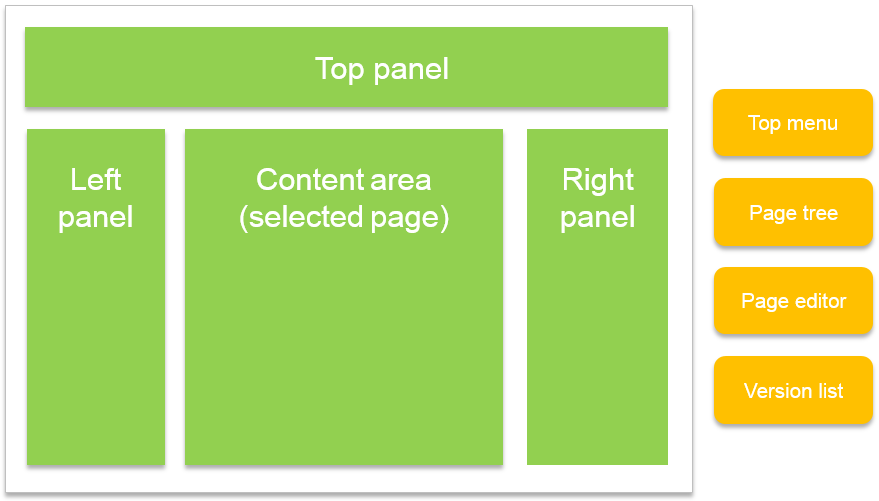
System overview of views and components
This diagram shows how the view (with four pluggable areas) is assembled on the server.
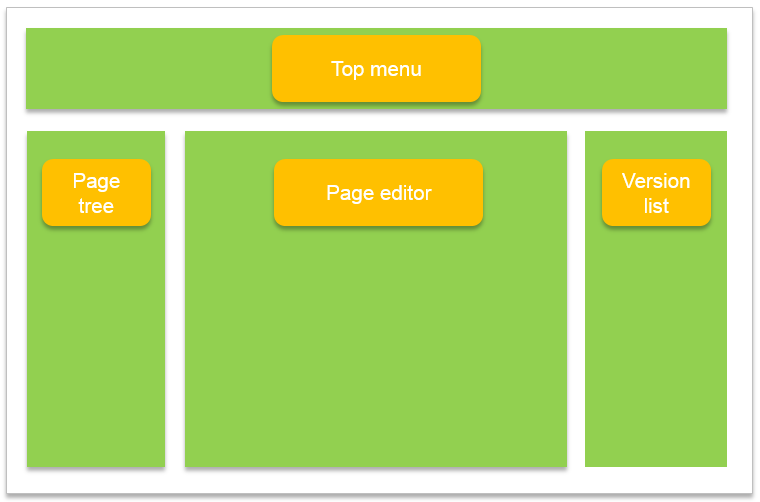
Components plug into areas
Components that declare plug-in areas are added automatically to their respective areas.
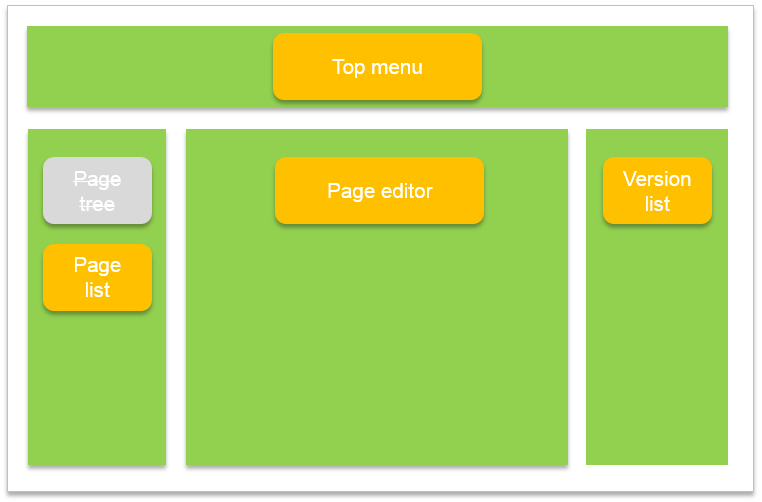
Change a view through configuration
Configuration adds and removes components per view. A specific component can also replace another component globally through the IOC container.
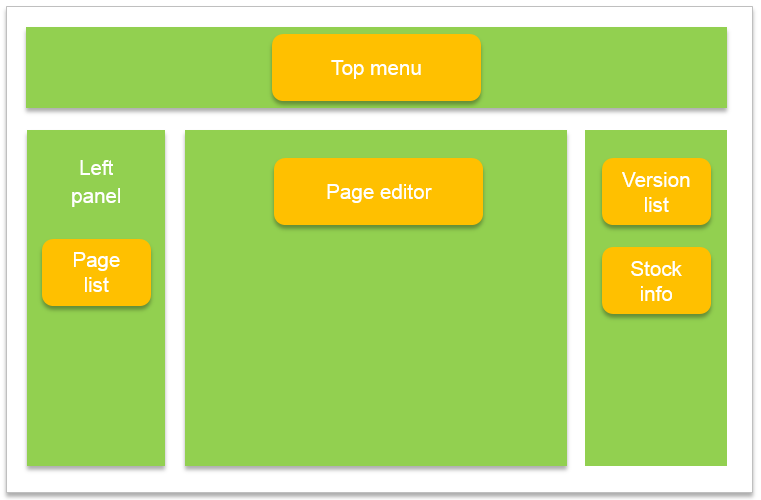
Change a panel through personalization
When a view contains personalizable panels and the editor has personalized them, the panel contents are replaced with the personalized content.
Updated 2 months ago