
Define language-specific properties
Learn to define language-specific properties in Optimizely CMS 13. Manage multilingual content and tailor experiences for global audiences.
Language-specific properties let multilingual websites store distinct values for each language within the same content field. Use the Unique value per language setting to control which properties differ by language.
On a website that supports multiple languages, a text element (such as a title or description) with Unique value per language has distinct values for each language. A title in English, Spanish, or French is defined within the same text element field but differentiated by the language setting. See Manage languages.
By setting the Unique value per language property, Optimizely Content Management System (CMS) 13 knows to retrieve and display the correct language-specific value depending on one of the following factors:
- The user’s language setting
- The particular language version of the page being accessed
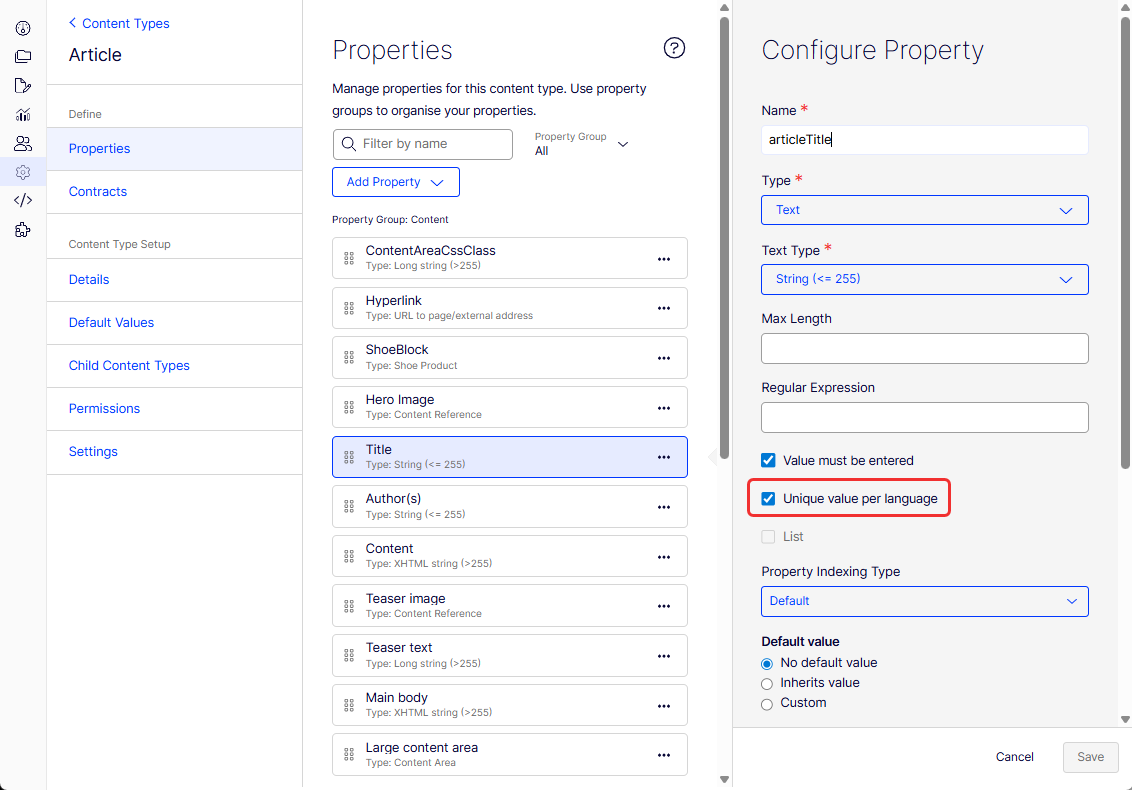
Properties with unique values per language are editable in activated languages on the website. Edit only properties that do not have language-specific values in the language on the original page. These properties are deactivated in the edit view with an icon indicating the original language.
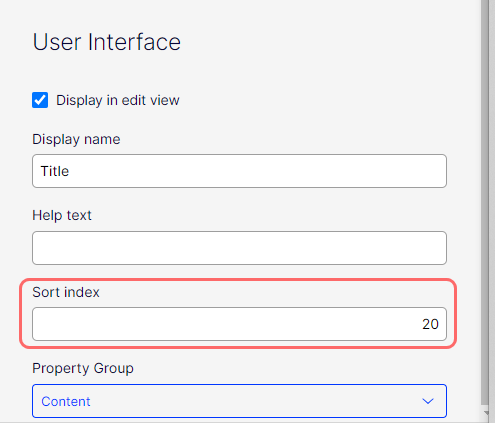
When you create a page, you can set the Sort index in the original page language if you clear the Unique value per language checkbox. But if you create a version of the page in another language, the Sort index field is not editable; the sort index is the same for activated languages. To change the Sort index for each language, select the Unique value per language checkbox.
If you change a property so that it does not have a unique value, existing values are deleted. For example, if the property for the editor area is changed to not have a unique language, text entered in the editor area for all languages on the website is permanently deleted.
Updated 2 months ago