
Plug in a gadget
Introduces the plug-in areas for gadgets in the Optimizely Content Management System (CMS) user interface.
Plug gadgets into the navigation panel (left) and assets panel (right) to extend the editorial interface with information related to the content. These gadgets can have a tab on the tab toolbar.
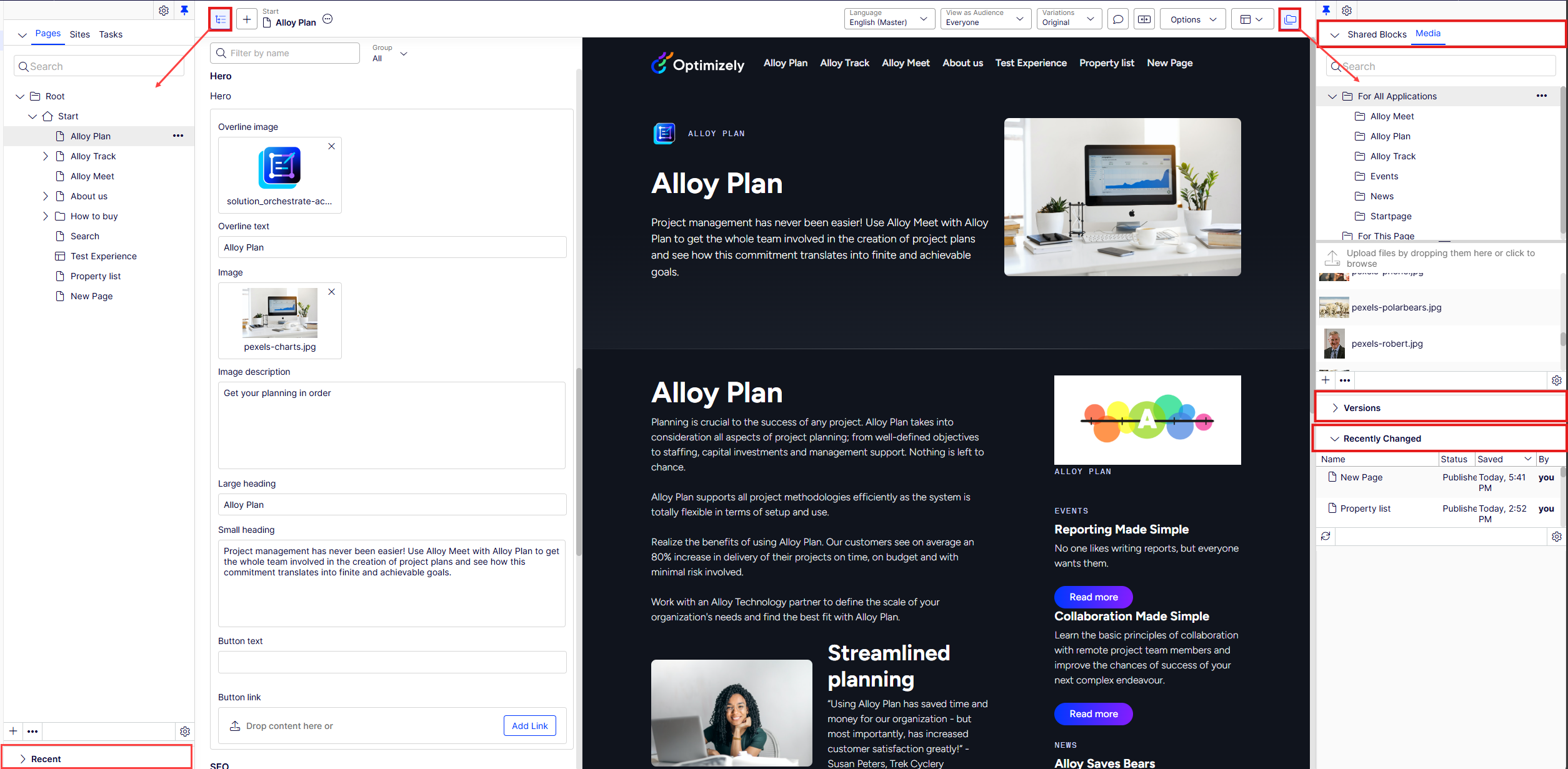
For edit view plug-ins, the PlugInAreas attribute determines the rendering location set by the EPiServer.Cms.Shell.PlugInArea string constant:
AssetsPanel– Adds the plug-in as a gadget in the asset panel.DefaultAssetsGroup– Adds the plug-in as a tab in the asset panel.DefaultNavigationGroup– Adds the plug-in as a tab in the navigation panel.NavigationPanel– Adds the plug-in as a gadget in the navigation panel.
Updated 3 months ago
Did this page help you?