
Permissions for functions
Control user access in Optimizely by managing function permissions for security and efficiency.
Use Permissions for Functions to control which users and groups can access specific system operations in CMS. Examples include moving content between providers and viewing detailed error messages. Restricting function access to specific groups reduces the risk of accidental data moves or exposure of sensitive error details. This feature is separate from content access rights, which control which pages and blocks a user can read or edit. To manage permissions for functions with code, see Permissions for functions with code.
Go to Settings > Permissions for Functions. The Permissions for Functions window lists all available functions, each with a brief description of its purpose. For example, ContentProviderMove lets users move data or pages, and DetailedErrorMessage provides detailed error messages for troubleshooting.
To configure a function, click the function name. A second window lists the users and groups that already have permissions for the function.
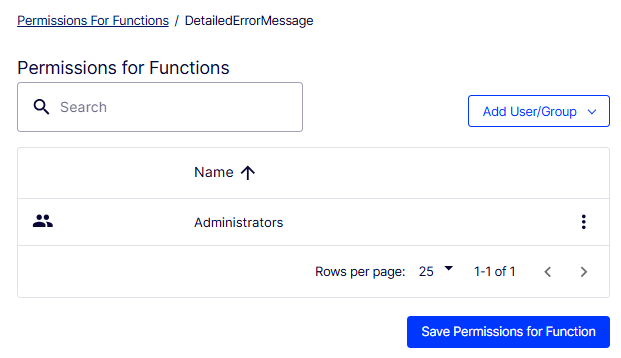
To grant access to additional users or groups, click Add User/Group. A drop-down list of available users and predefined groups in your Optimizely instance displays. Select a user or group. Repeat to add more.
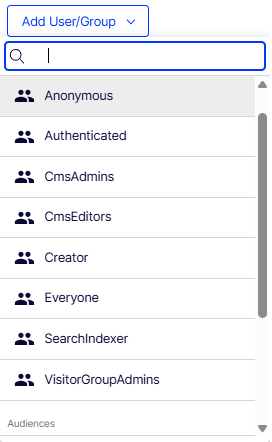
The following built-in users and groups are available in Optimizely:
- Anonymous – Unauthenticated users.
- Authenticated – All logged-in users.
- CmsAdmins – Users with administrative privileges for CMS.
- CmsEditors – Users with content editing capabilities.
- Everyone – All users, regardless of authentication status.
Click Save Permissions for Function. The selected users and groups gain access to the specified function.
To remove a user or group, click Delete in that row. Click Save Permissions for Function to apply the change.
Updated 2 months ago