
Work with shared content
Manage shared content editing in Optimizely.
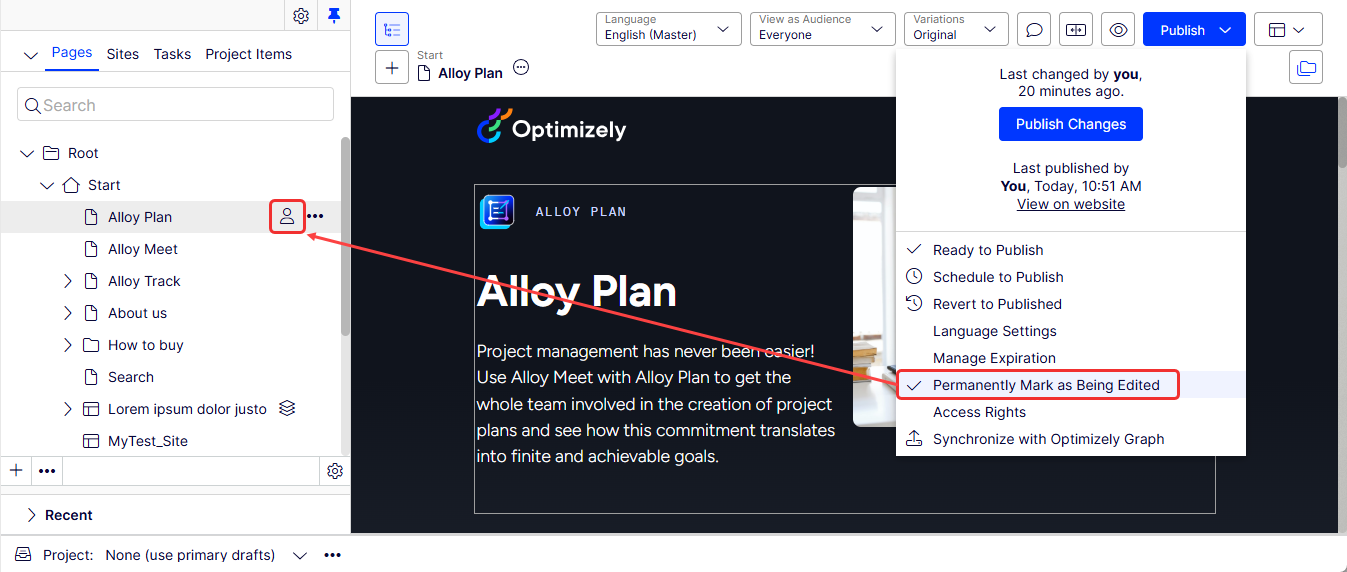
Multiple editors can edit a page at the same time. When you start editing content, the page tree displays an icon indicating that the content is being edited. This icon notifies other editors that you are working on the content. The icon clears automatically when editing stops.
To keep the icon displayed, select Publish > Permanently Mark as Being Edited. This setting remains until you manually disable it by toggling the setting.
Updated 3 months ago
Did this page help you?