
Create a category
Create and manage content categories in Optimizely CMS 13. Organize content for filtering, search, and navigation, including top-level and subcategories.
NoteThis topic is for CMS administrators, and developers with administration access rights.
In Optimizely Content Management System (CMS), a category classifies content, such as for building filtering features for search and navigation. You create categories in admin view, and apply them to content in edit view. (A category is also known as a taxonomy; a system of classification.)
A category is a property in CMS. Apply categories to content, then build the customized functionality for your website to display the resulting outcome, such as filtering. Do not confuse content categories with Optimizely Commerce Connect categories. See Work with catalog entries.
Create a category with the following steps.
-
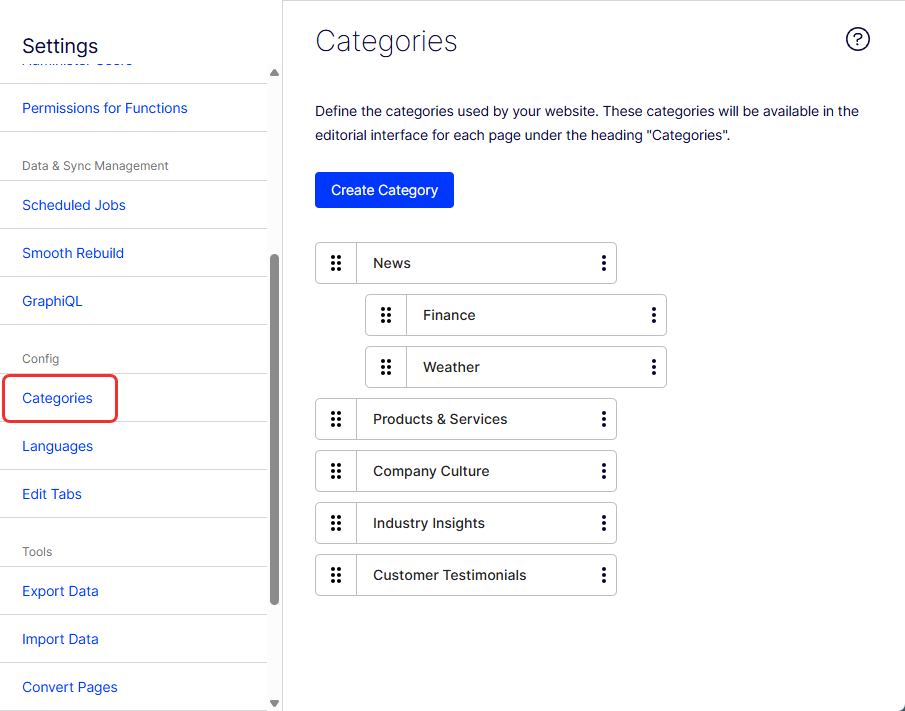
Go to Settings > Categories.
-
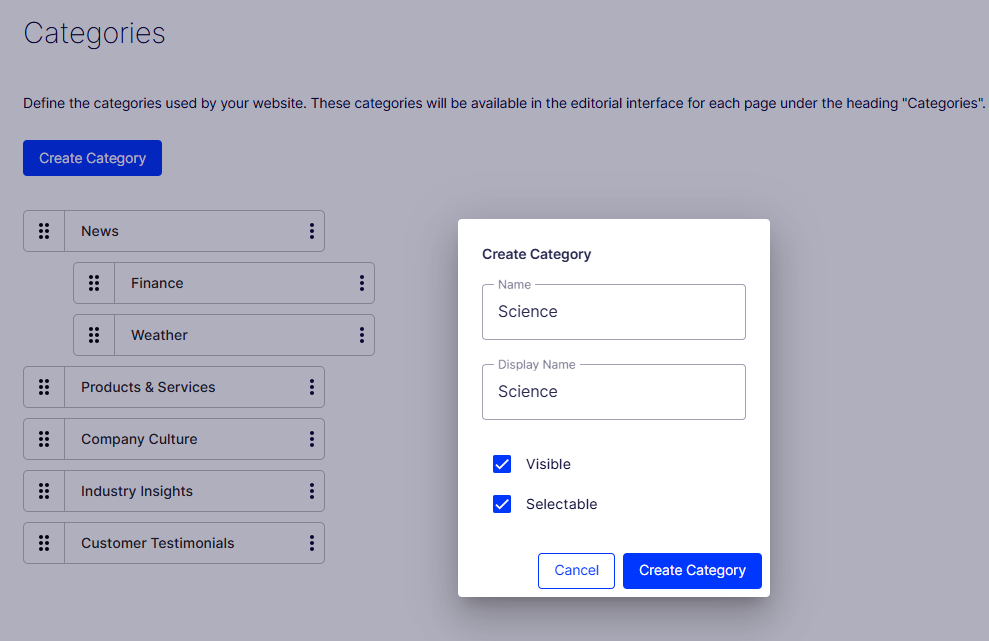
Select Create Category.
-
Name – This name is used in code when building category-based functionality.
-
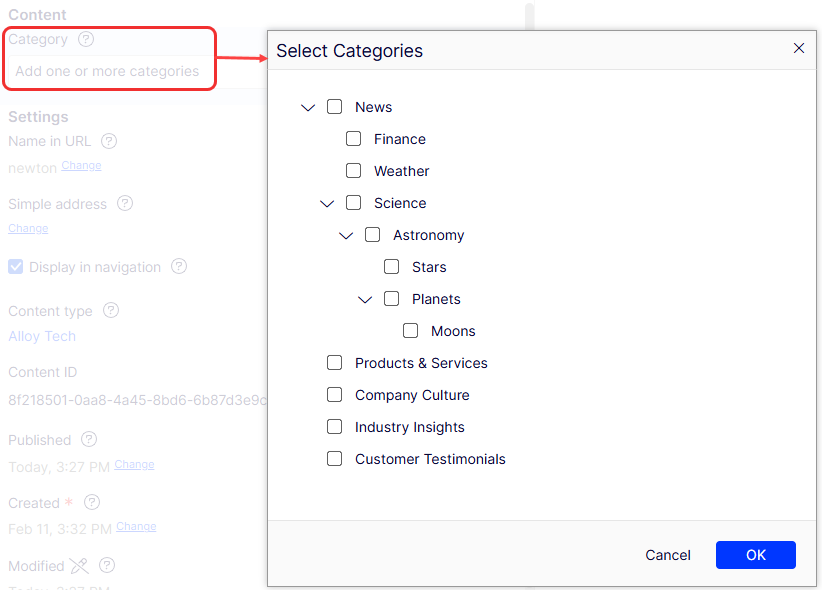
Display name – This name is visible in edit view when a user selects categories. You can also language-encode this field.
-
Visible – Select if you want this category to appear in the Select Categories dialog box in edit view.
-
Selectable – Select if you want this category to be selectable in the Select Categories dialog box in edit view.
-
-
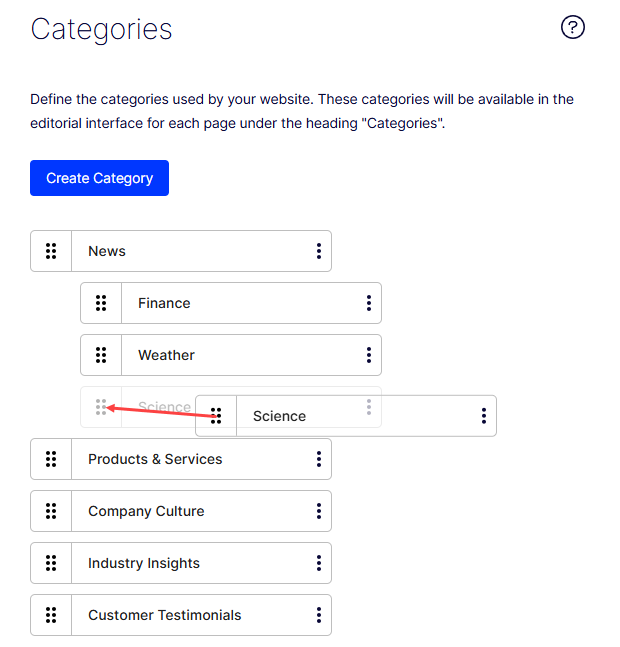
Drag the grab bars to move this category higher or lower in the list. This sequence determines the order in which categories display in the Select Categories dialog.
-
(Optional) Select Create Subcategory from the menu to add a subcategory to a top-level category. Add the subcategory the same way as the top-level category.
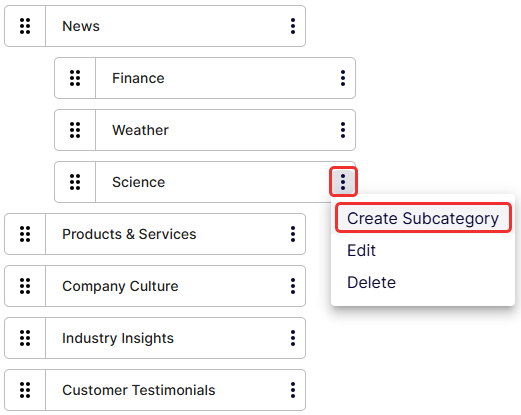
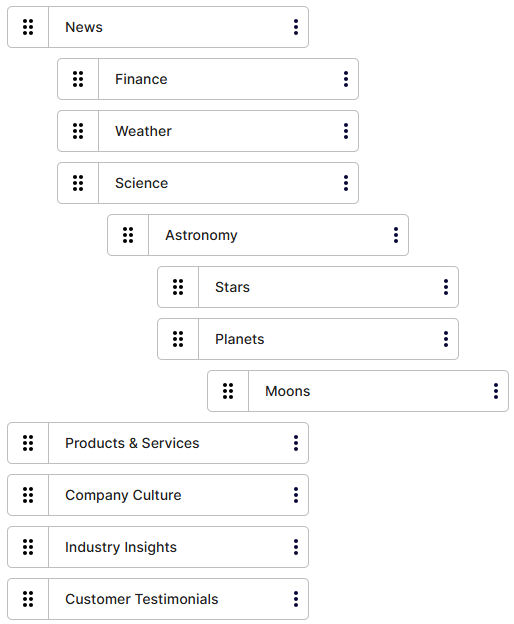
You can create many subcategories.
WarningDepending on how a category is used on your website, changing or deleting a category may cause things to stop working. Check with your developer before changing or deleting a category.
Updated 3 months ago