
Use AI to generate text for a product property
Use Opal AI to generate and refine product property text directly in the editor.
Use generative AI in Commerce Connect to generate text for a product property based on a prompt. Integrating AI-driven content into Commerce Connect enhances productivity and streamlines the content creation process.
BetaThis feature is in beta.
Key features
- Generate text content of the product properties, like the description.
- Rewrite, shorten, or lengthen the generated content.
- Regenerate content until you get the desired results.
- Add the generated content directly to the editor with one click.
- Access the AI text generator from the editor.
Follow the instructions in Optimizely Opal to enable this AI feature in Commerce Connect.
Generate text in Commerce Connect
Open the product detail and click Use Opal AI in the editor. This option is disabled if no property content exists.
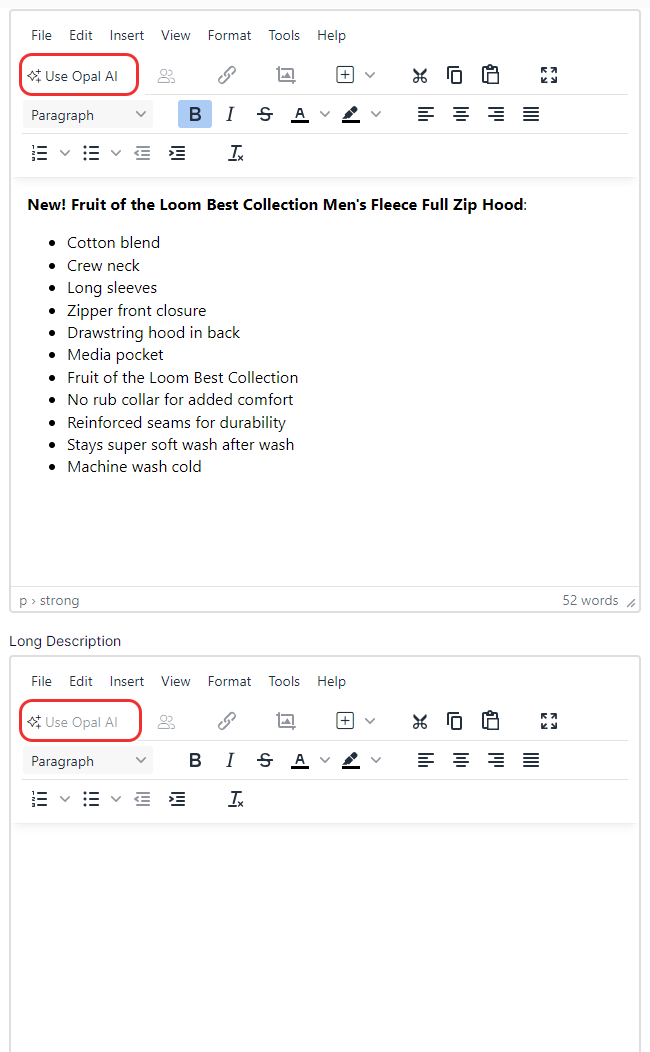
The Generate Text window displays.
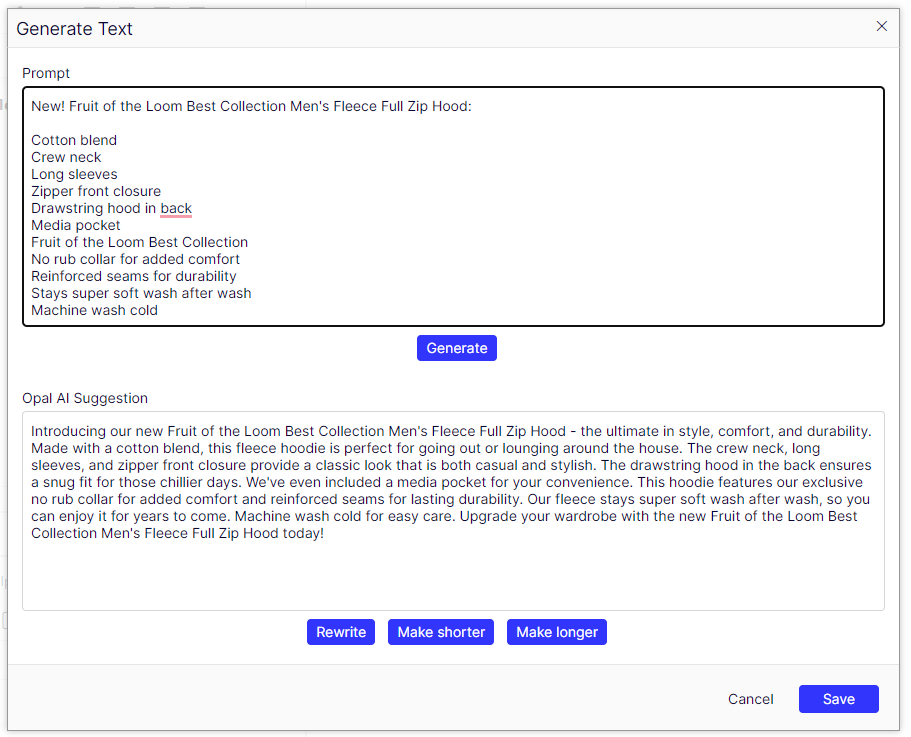
Do the following:
- Click Generate to generate content.
- Click Rewrite to generate different content.
- Click Make shorter to make the content shorter.
- Click Make longer to make the content longer.
Regenerate content until you achieve the desired result.
- Click Save to add the generated content to the editor.
- Click Cancel to close the dialog and remove any changes.
Generate text in CMS
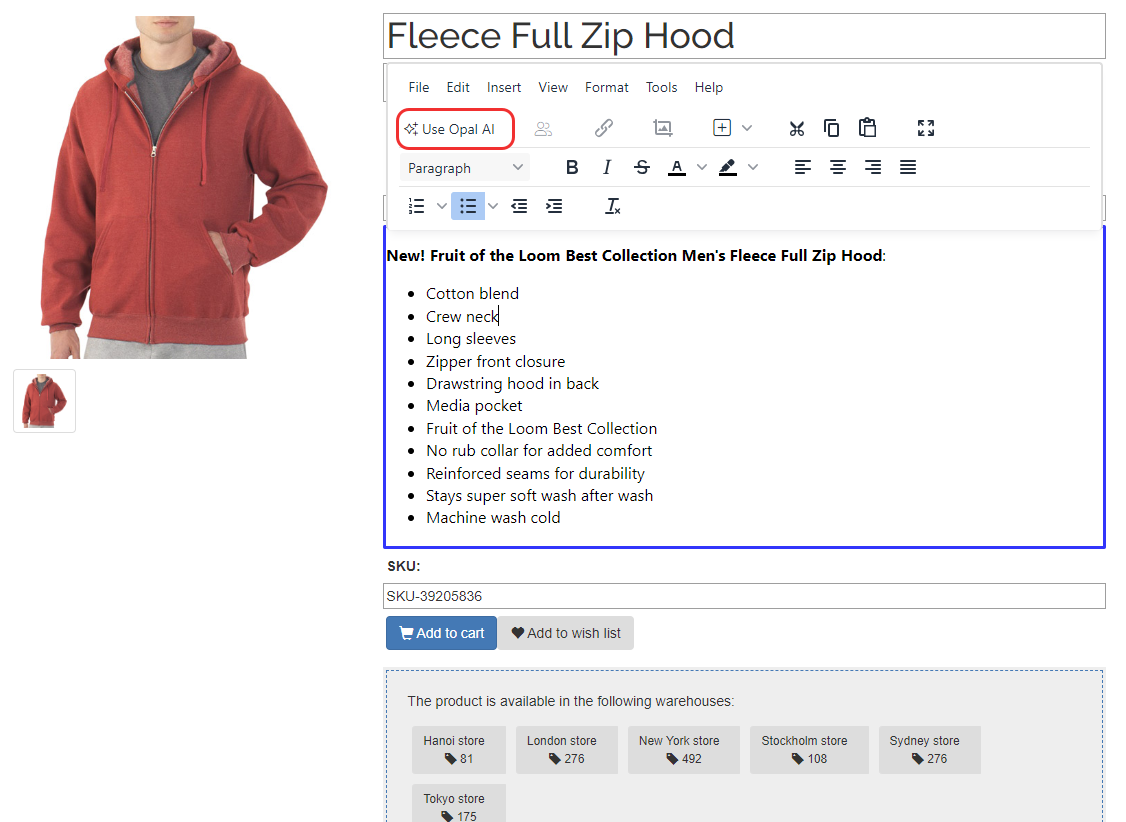
Generate text when using CMS Edit in Optimizely Content Management System (CMS). Click Use Opal AI to open the AI text generator window.
Updated 12 days ago