
Multi-market examples
Describes how to use the Optimizely Commerce Connect ECF API to work with multi-market and warehouse features to change markets, get prices and discounts for markets, list warehouses and get inventories per warehouse.
Display entry listing, prices, and discounts per market
The following examples show how to display catalog entries with pricing and discounts for a selected market.
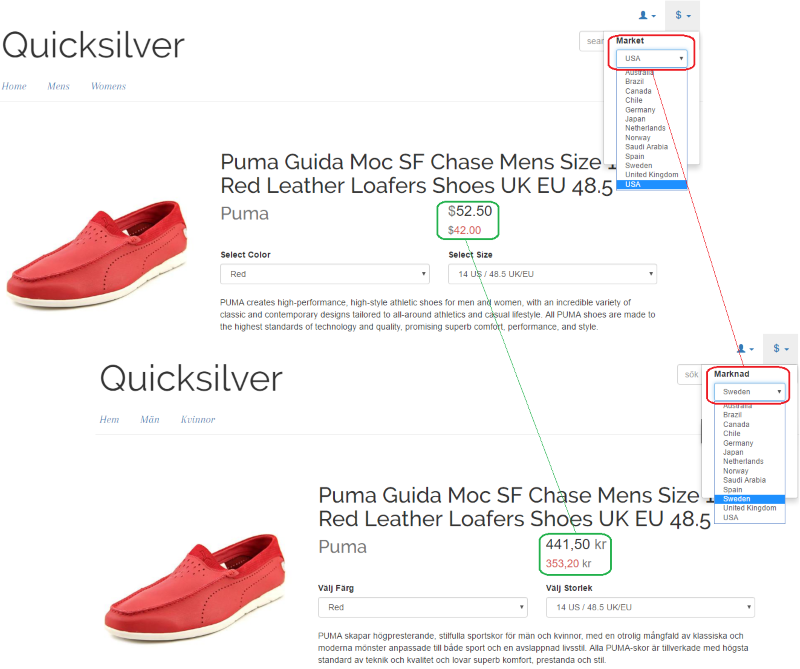
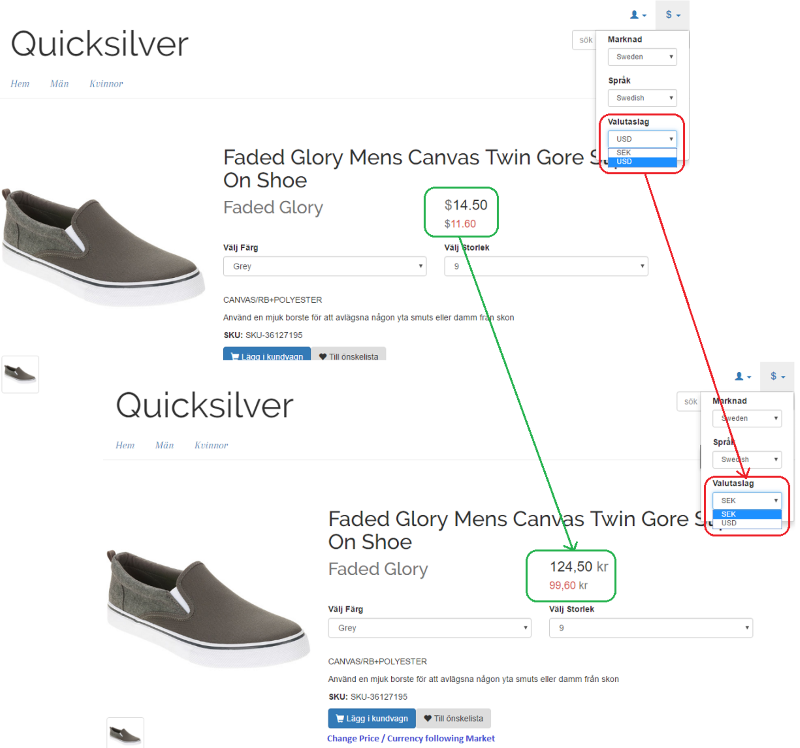
Change the displayed market
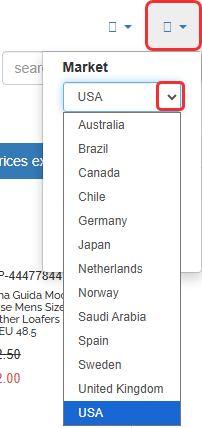
The following screenshot shows a storefront market selector that lets users change the active market.
Get available markets
The following method returns all markets registered in the system:
public IEnumerable<IMarket> GetAvailableMarkets() {
  var marketService = ServiceLocator.Current.GetInstance<IMarketService>();
  // Get all available markets.
  return marketService.GetAllMarkets();
}
Get the current market
The following method returns the market associated with the current request:
public IMarket GetCurrentMarket() {
  var currentMarketService = ServiceLocator.Current.GetInstance<ICurrentMarket>();
  // Get the current market.
  return currentMarketService.GetCurrentMarket();
}
Set the current market
The following method sets the market for the current request:
public void SetCurrentMarket(MarketId marketId) {
  var currentMarketService = ServiceLocator.Current.GetInstance<ICurrentMarket>();
  // Set the current market.
  currentMarketService.SetCurrentMarket(marketId);
}
Get the price for an entry per market
The following method returns the lowest applicable sale price for an entry in the current market:
public Price GetSalePrice(Entry entry, decimal quantity) {
  var currentMarketService = ServiceLocator.Current.GetInstance<ICurrentMarket>();
  var currentMarket = currentMarketService.GetCurrentMarket();
  var currency = currentMarket.DefaultCurrency;
  List<CustomerPricing> customerPricing = new List<CustomerPricing>();
  customerPricing.Add(CustomerPricing.AllCustomers);

  var principal = PrincipalInfo.CurrentPrincipal;
  if (principal != null) {
    if (!string.IsNullOrEmpty(principal.Identity.Name)) {
      customerPricing.Add(new CustomerPricing(CustomerPricing.PriceType.UserName, principal.Identity.Name));
    }

    CustomerContact currentUserContact = principal.GetCustomerContact();
    if (currentUserContact != null && !string.IsNullOrEmpty(currentUserContact.EffectiveCustomerGroup)) {
      customerPricing.Add(new CustomerPricing(CustomerPricing.PriceType.PriceGroup, currentUserContact.EffectiveCustomerGroup));
    }
  }

  IPriceService priceService = ServiceLocator.Current.GetInstance<IPriceService>();
  PriceFilter filter = new PriceFilter() {
    Quantity = quantity,
      Currencies = new Currency[] {
        currency
      },
      CustomerPricing = customerPricing
  };

  // Return the lowest price value.
  IPriceValue priceValue = priceService.GetPrices(currentMarket.MarketId, DateTime.UtcNow, new CatalogKey(entry.ID), filter)
    .OrderBy(pv => pv.UnitPrice)
    .FirstOrDefault();

  if (priceValue != null) {
    return new Mediachase.Commerce.Catalog.Objects.Price(priceValue.UnitPrice);
  }

  return null;
}
Get discounts per market
The following method returns the lowest discounted price for a content reference in the current market:
public Price GetDiscountPrice(ContentReference contentLink, Currency currency) {
  var currentMarketService = ServiceLocator.Current.GetInstance<ICurrentMarket>();
  var promotionEngine = ServiceLocator.Current.GetInstance<IPromotionEngine>();
  var market = currentMarketService.GetCurrentMarket();
  return promotionEngine.GetDiscountPrices(contentLink, market, currency).First().DiscountPrices.OrderBy(p => p.Price).First().Price;
}
Updated 2 months ago