
Multi-shipment examples
Describes how to work with multi-shipment (split shipment) in Optimizely Commerce Connect to ship a single order to multiple addresses.
A split shipment lets a customer ship items in the same order to different addresses. This article shows how multi-shipment behaves in the storefront and how to programmatically split a cart into one shipment per line item.
Storefront behavior
During checkout, the customer can create an address or select an existing one.
If a customer purchases two or more items, the Ship to multiple addresses button appears during checkout.
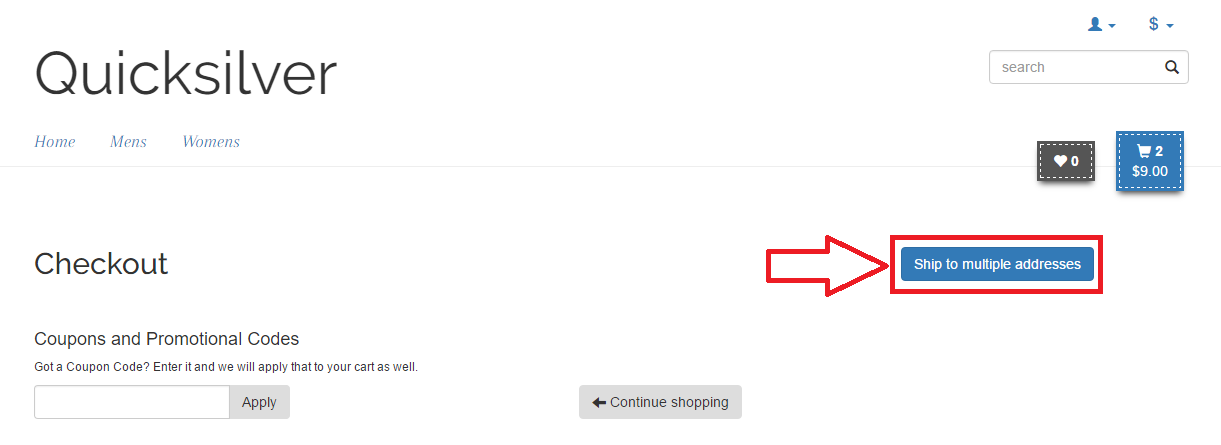
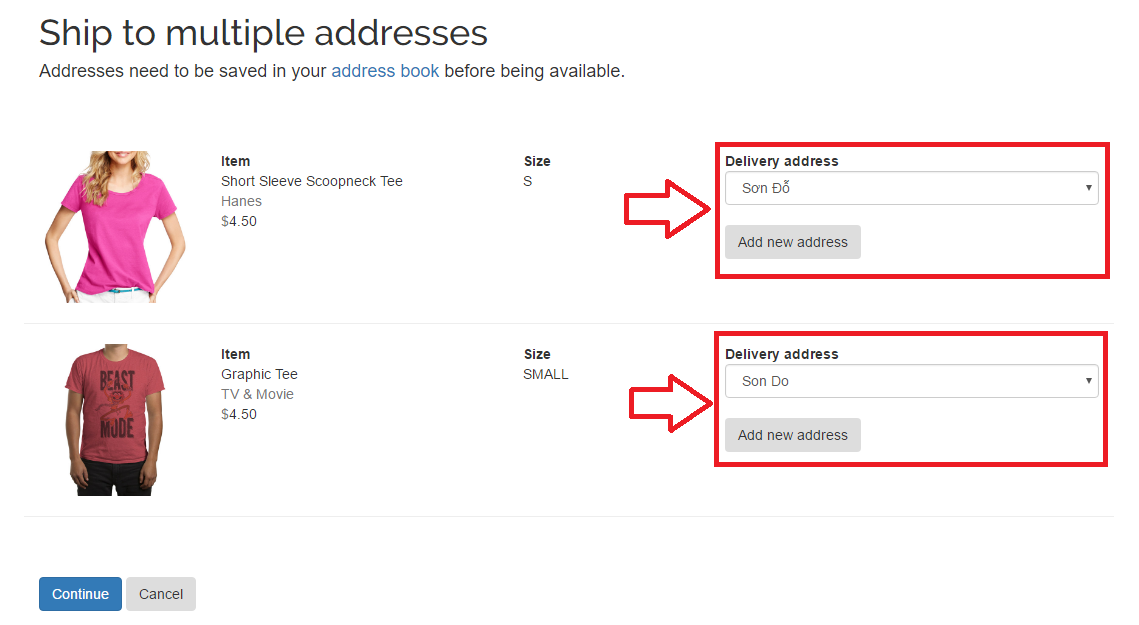
During checkout, the customer enters the information for each split shipment. The number of split shipments equals the number of items in the cart, so the customer can add or select a shipping address for each item.
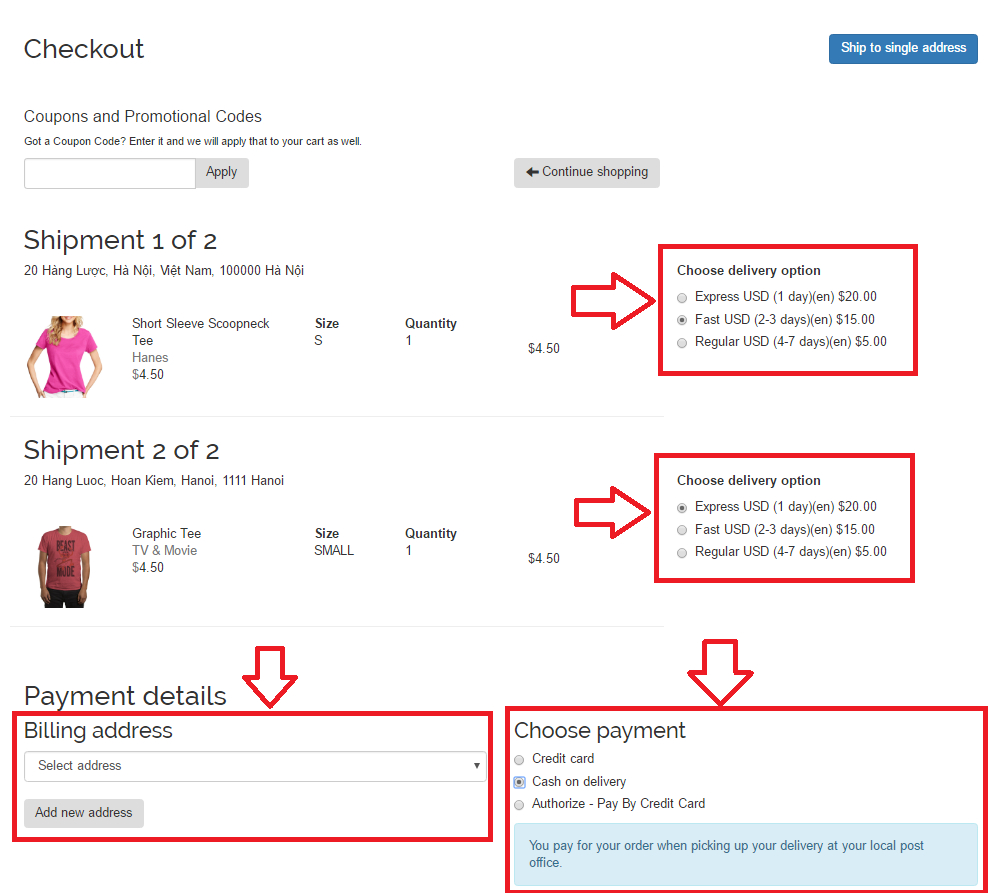
After the customer completes the address for each split shipment, checkout moves to the next step, where the customer selects a shipping option, a billing address, and a payment method.
Create one shipment per line item
The following example creates one shipment per cart line item:
var orderRepository = ServiceLocator.Current.GetInstance<IOrderRepository>();
var currentMarket = ServiceLocator.Current.GetInstance<ICurrentMarket>();
var cart = orderRepository.LoadCart(CustomerContext.Current.CurrentContactId, DefaultCartName, currentMarket);
var form = cart.GetFirstForm();
var cartLineItems = cart.GetAllLineItems().ToList();

// Clear the existing line items in each shipment.
foreach (var shipment in form.Shipments)
{
    shipment.LineItems.Clear();
}

// Clear the existing shipments.
form.Shipments.Clear();

// Add a shipment for each cart line item.
foreach (var item in cartLineItems)
{
    var shipment = cart.CreateShipment(_orderGroupFactory);
    var lineItem = cart.CreateLineItem(item.Code, _orderGroupFactory);
    lineItem.IsGift = item.IsGift;
    lineItem.Quantity = item.Quantity;
    shipment.LineItems.Add(lineItem);
    form.Shipments.Add(shipment);
}

orderRepository.Save(cart);
Updated 2 months ago