
Deploy to a single server in Commerce Connect
Describes the deployment of the Optimizely Commerce Connect solution on a single computer.
A single-server deployment is an Optimizely Commerce Connect solution deployed to a single computer. Single-server deployments suit applications and websites with modest traffic and resource requirements. Commerce Connect requires a database to store customer, user, and site information. Install the database on the same server as the web application or on a separate server. This type of deployment is a non-distributed deployment because the application's layers and functions reside on a single server.
Many tasks from a development install also apply to single-server deployment.
A typical single-server deployment looks like this:
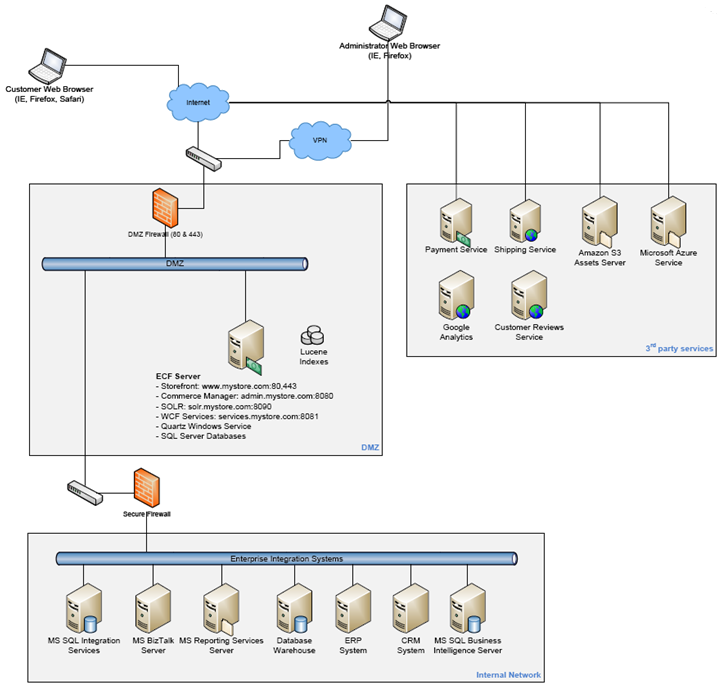
Copy the entire Commerce Connect installation from a QA or staging server, and then update the configuration files and IIS on the target server. Unlike a development, QA, or staging server, the deployment server must be configured through IIS to be publicly accessible.
If the public front-end site is reachable from the deployment server, the deployment is complete.
Updated 2 months ago