
Tax categories
Create and manage tax categories to classify products and apply correct tax rules in Commerce Connect.
Tax categories classify your products and services so Commerce Connect applies the correct tax rules during transactions. Define at least one tax category before you configure tax rates or rules. Common scenarios include:
- Product taxability segmentation – Different product types are often taxed at different rates or exempt entirely. Separate categories (for example, General Sales, Digital Goods, Groceries) let you apply the right rules to the right products.
- Exemption management – Certain categories may be fully or partially exempt in specific jurisdictions. Defining categories lets you map those exemptions cleanly without affecting other product types.
- Rate differentiation – Some jurisdictions apply reduced rates to specific goods (for example, clothing under a threshold, medical devices). Categories let you target those special rates precisely.
- Reporting and compliance – Categorized transactions are easier to audit and reconcile against jurisdiction-specific filing requirements.
Go to Settings > Tax Categories.
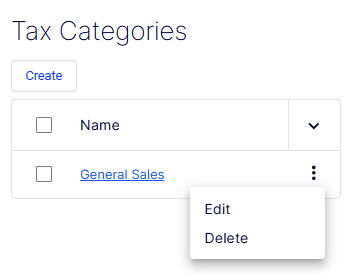
The Tax Categories list page displays all existing tax categories and provides controls to create, edit, and delete them.
-
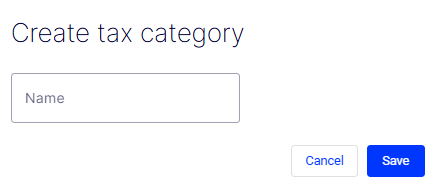
Create – Opens the form to define a tax category.
-
Checkbox column – Lets you select one or more rows, typically for bulk actions.
-
Name column – Displays the name of each tax category as a clickable link. Clicking the name (for example, General Sales) opens the category for viewing or editing. The column header includes a sort toggle (
∨) to sort the list alphabetically. -
Row action menu (⋮) – A context menu that displays on each row and exposes the following actions:
- Edit – Opens the selected tax category in an editable form.
- Delete – Permanently removes the tax category. Use with caution, because deleting a category referenced by active tax rules may affect transaction processing.
Updated 2 months ago