
Orders (UI)
Use Order Management to handle carts, orders, customers, and subscriptions.
NoteIn roadmap communications, Order Management is referred to as the CSR Portal.
Administrators and users assigned the Customer Service Representative (CSR) role can use the Order Management page to perform customer-centric tasks on specific shopping carts and purchase orders. See User Roles to learn more.
- Customer orders is a general term referring to the overall orders subsystem that encompasses everything from shopping carts and wish lists through to completed transactions. It covers the full lifecycle of monitoring, tracking, modifying, creating, shipping, and handling returns or exchanges.
- Purchase orders are the specific, finalized record of a transaction, that is, what a customer order becomes after checkout and payment submission. It is the committed, actionable unit that your team manages in the Order Management interface.
- Created when a customer completes checkout and submits payment (that is, a shopping cart is converted to a purchase order).
- A customer service representative can also create one manually, for example, when a customer places an order by phone.
- While its status is In Progress, edit details such as shipping address, shipping method, line items, and discounts.
- Add notes to purchase orders for internal tracking.
- Supports advanced options such as split payments, split shipments, and multiple shipping addresses.
Think of customer orders as the umbrella concept covering the entire order journey, and purchase orders as the specific, finalized state of an order that your team actively manages and fulfills.
A business typically has many CSRs who need to access and update carts and orders. CSRs can use the Order Management page to fulfil these tasks without learning an entire content management or commerce system. The simplified interface lets CSRs focus on resolving customer needs.
Order management
To access the Order Management page, click Order Management in the menu.
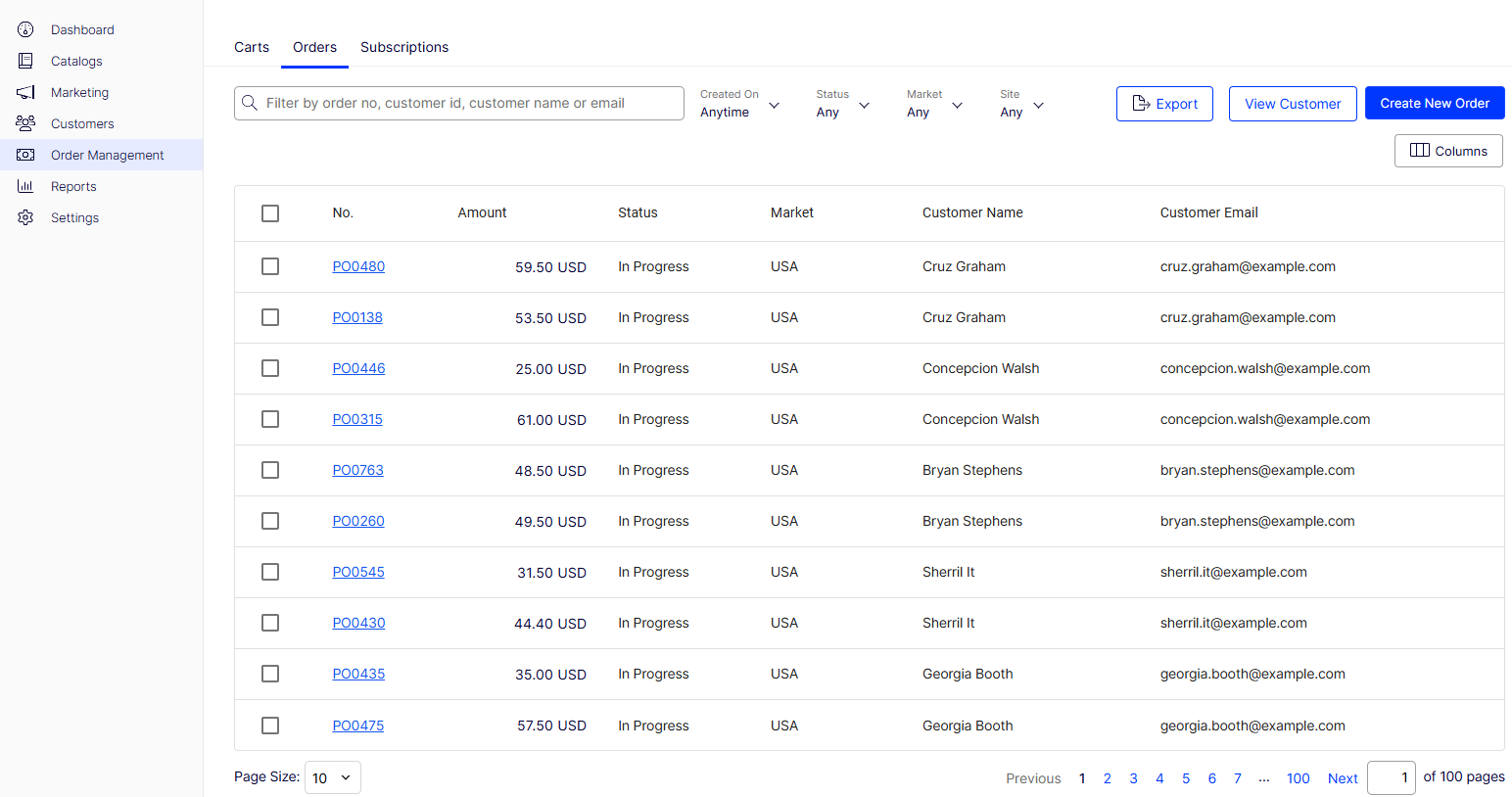
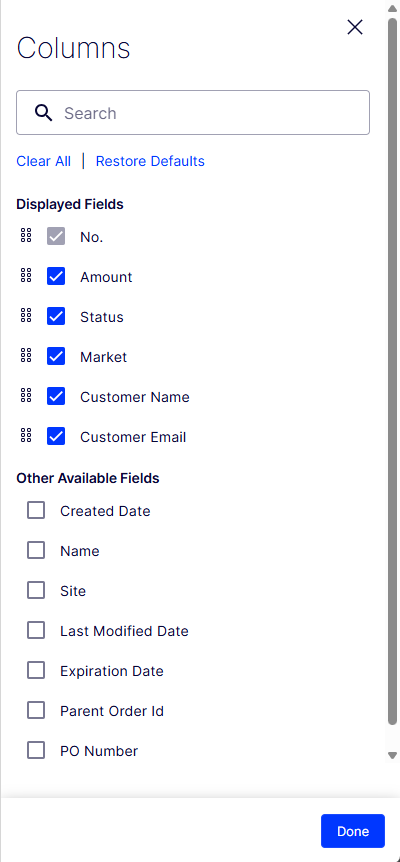
Click Columns to choose which columns display in the order management table.
You can complete the following actions from the Order Management page:
- Locate customers and modify their information
- Locate specific carts and make adjustments
- Locate orders to check or change their status and details
- Check or process returns and exchanges
- View, edit, or cancel subscriptions
Order and cart workflow
NoteIn roadmap communications, Order Management is referred to as the CSR Portal.
Order management is a key part of Optimizely Commerce Connect. Customers create most orders, and the ordering process is usually automated, following an order management workflow. To manually manage an order, use the Orders page. Here is the difference between a cart and an order:
- Order – After the buyer completes payment, the cart is converted to a purchase order. The seller processes the order, completes it, arranges shipment, and delivers the product.
- Cart – A collection of products that a website customer selects. (A cart is also known as a shopping cart or basket.)
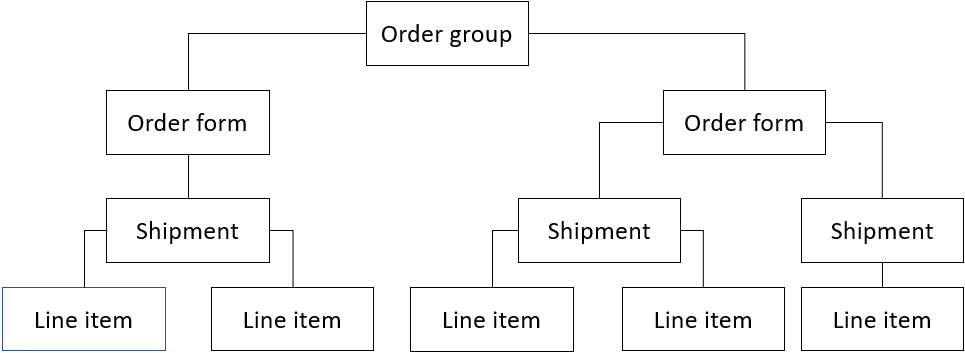
The following describes the structure of order components:
- A cart or an order can contain one or more order forms.
- Most business-to-customer (B2C) sites have only one form per cart or order.
- Business-to-business (B2B) sites can have multiple forms where a buyer places an order for different sections of an organization. Each section has its own form, with separate details.
- Each order form can have one or more shipments.
- Each shipment consists of one or more line items.
Updated 2 months ago