
Built-in discounts
Describes the built-in discount types available for campaigns in Optimizely Commerce Connect.
Optimizely Commerce Connect provides built-in discount templates for item, order, and shipping promotions. Use these templates to set up common offers without writing custom logic.
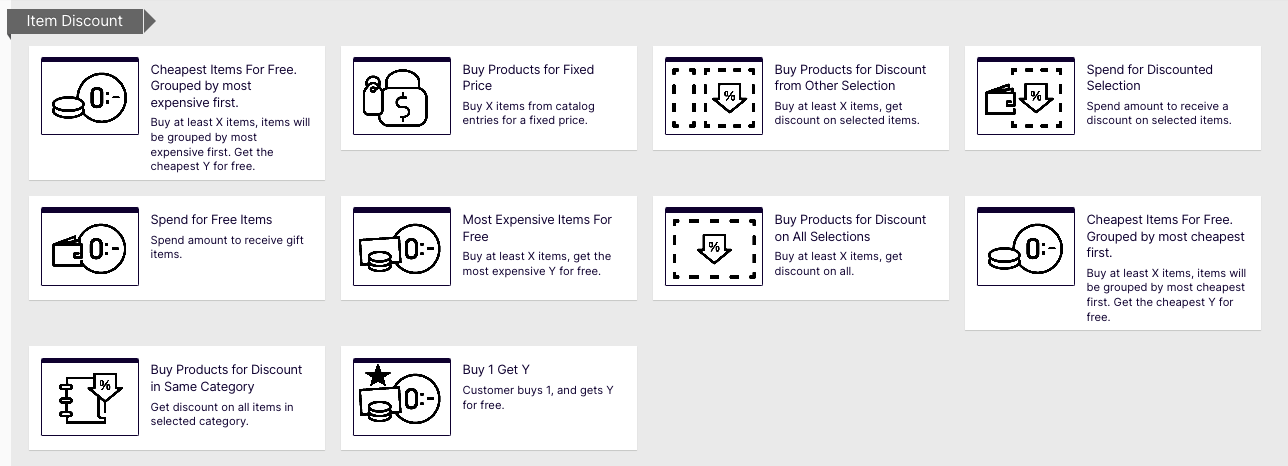
Item discounts
For item discounts, the blue discount component where you manage discount items has a Limit number of discounted items drop-down list. This lets you restrict how many items customers can discount in their order. For example, a customer buying five shirts may get a discount on two. To determine which items to discount, Optimizely Commerce Connect calculates the maximum customer savings.
Item discount example
Discount – Buy at least nine eligible items, and get a 25% discount on three.
Sample order before discount:
| Item | Quantity | Cost per item | Item total |
|---|---|---|---|
| White shirt | 5 | $5.00 | $25.00 |
| Blue shirt | 2 | $10.00 | $20.00 |
| Yellow shirt | 2 | $15.00 | $30.00 |
| Total cost | $75.00 |
After discount:
The discount applies first to the two most expensive items, the yellow shirts. Next, it applies to one of the next most expensive items, a blue shirt. Because only three items are discounted, the second blue shirt is full price.
| Item | Quantity | Cost per item | Line item total |
|---|---|---|---|
| White shirt | 5 | $5.00 | $25.00 |
| Blue shirt | 1 | $10.00 | $10.00 |
| Blue shirt | 1 | $7.50 (25% discount on 1 item) | $7.50 |
| Yellow shirt | 2 | $11.25 (25% discount on 2 items) | $22.50 |
| Total cost | $65.00 |
Cheapest items for free
Buy at least X eligible items, and get the cheapest Y items for free.
This discount has two sections:
- Buy at least X items – The number of items, categories, and products that customers can pick from.
- Get the cheapest Y for free – The number of items that are free.
This discount supports multiples. If a promotion is "Buy at least 5 eligible items, and get the cheapest 1 item for free," and a customer buys 10 items, they get two free items. You can limit this factor by applying redemption limits.
For example, buy at least 10 eligible products to get the cheapest three for free.
Sample order before discount:
| Product | Quantity | Cost per product | Line total |
|---|---|---|---|
| White shirt | 5 | $5.00 | $25.00 |
| Blue shirt | 3 | $10.00 | $30.00 |
| Yellow shirt | 3 | $15.00 | $45.00 |
| Total cost of order | $100.00 |
After discount:
| Product | Quantity | Cost per product | Line total |
|---|---|---|---|
| White shirt | 5 | $5.00 | $10.00. Three of five shirts are free |
| Blue shirt | 3 | $10.00 | $30.00 |
| Yellow shirt | 3 | $15.00 | $45.00 |
| Total cost of order | $85.00 |
Most expensive items for free
Buy at least X eligible items, and get the most expensive Y items for free. For example, if an order includes five hardcover books, the most expensive one is free.
This discount has two sections:
- Buy at least X items – The number of items, categories, and products that customers can pick from.
- Get the most expensive Y for free – The number of items that are free.
This discount supports multiples. If a promotion is "Buy at least 5 eligible items, and get the most expensive 1 item for free," and a customer buys 10 items, they get two free items. You can limit this factor by applying redemption limits.
Buy products for fixed price
Buy a fixed number of items from selected categories for a set price.
This discount has two sections:
-
Buy at least X items – The number of items, categories, and products that customers can pick from.
-
Receive catalog entries at fixed price – A fixed price for each currency. Discounts only apply to currencies with amounts.
NoteThe campaign's target market determines the list of currencies.
The discount applies only if the fixed price is less than the items' cost. For example, you create a fixed price discount: Buy 2 from Top-Tunics for $250.
- Buyer A selects two items: $150 each, $300 total. The discount applies because the fixed price ($250) is less than the $300 total.
- Buyer B selects two items: $100 each, $200 total. The discount does not apply because the fixed price ($250) exceeds the $200 total.
Buy products for discount from another selection
Buy from a group of items to get a discount on a second group of items. For example, customers who purchase a winter coat get a 30% discount on scarves, gloves, and hats. No relationship exists between the two sets of items.
This discount has three sections:
- Buy at least X items – The number of items, categories, and products that customers can pick from.
- Get... these entries – Items that are discounted. Select Options on an item to edit, move up, or move down. A product's position does not affect how discounts are processed.
- At the following discount – How to calculate the discount.
Buy products for discount on all selections
Buy a number of selected items and get a discount on all items. For example, purchase two or more long-sleeved shirts and get a 15% discount on all long-sleeved shirts. The discount can be an amount or a percentage.
This discount has the following sections:
- Buy at least X items – The minimum number of items, categories, and products that customers must pick from. Select Options on an item to edit, move up, or move down. A product's position does not affect how discounts are processed.
- At the following discount – How to calculate the discount.
Buy products for discount in the same category
When creating this discount, you select a category, then a discount amount or percentage. The discount applies to all items in that category and its subcategories.
When calculating redemption limits, this discount counts each eligible item as one. For example, if the order redemption limit is 5, and a shopper purchases 10 items in the selected category or subcategories, the discount only applies to five items. This differs from the way that Commerce Connect typically handles redemption limits, where item quantity does not affect them.
This discount has the following sections:
- Buy from – A category in which all items and subcategories are eligible for the discount.
- At the following discount – How to calculate the discount.
Spend for discounted selection
Spend a minimum amount to get a discount on selected items. For example, spend at least $100 and get 10% off all belts. The discount can be an amount or a percentage.
The second group of items is independent of the first group. You have total flexibility in determining both groups.
This discount has three sections:
- Spend at least – A minimum order amount needed to qualify for the discount. Enter a minimum qualifying amount for each eligible currency. If you do not enter an amount, the discount is not available in that currency.
- Get... these entries – Items that are discounted. Select Options on an item to edit, move up, or move down. Use Limit number of discounted items to set a maximum number of discount-eligible items, if desired.
- At the following discount – How to calculate the discount.
Spend for free items
Spend a minimum amount on an order and get free items.
This discount has two sections:
- Spend at least – A minimum qualifying amount for each eligible currency. If you do not enter an amount, the discount is not available for that currency.
- Get free items – Variants or SKUs or packages that are automatically added to an order when the customer spends the minimum amount. Select a product multiple times to give it away more than once.
Buy one get Y
The customer buys at least one item and gets a second item for free.
This discount has two sections:
-
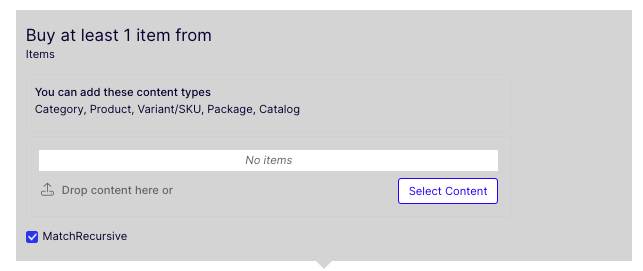
Buys at least one item from – Select which items customers must buy from to get the discount. You can add content from Category, Product, Variant or SKU, Package, or Catalog.
-
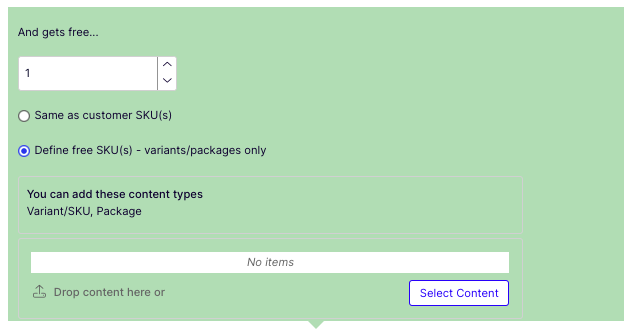
And gets free – Select Same as customer SKU(s) to give customers the same item for free, or Define free SKU(s) – variants or packages only to select other items.
You can exclude catalog items from this promotion.
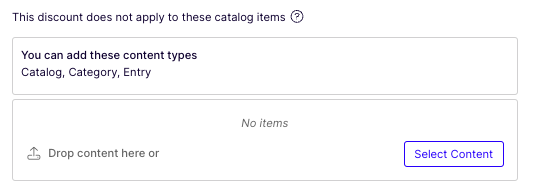
Set Redemption Limits to cap how many times customers can redeem the discount. If you increase the limit during a campaign, previous redemptions are preserved.
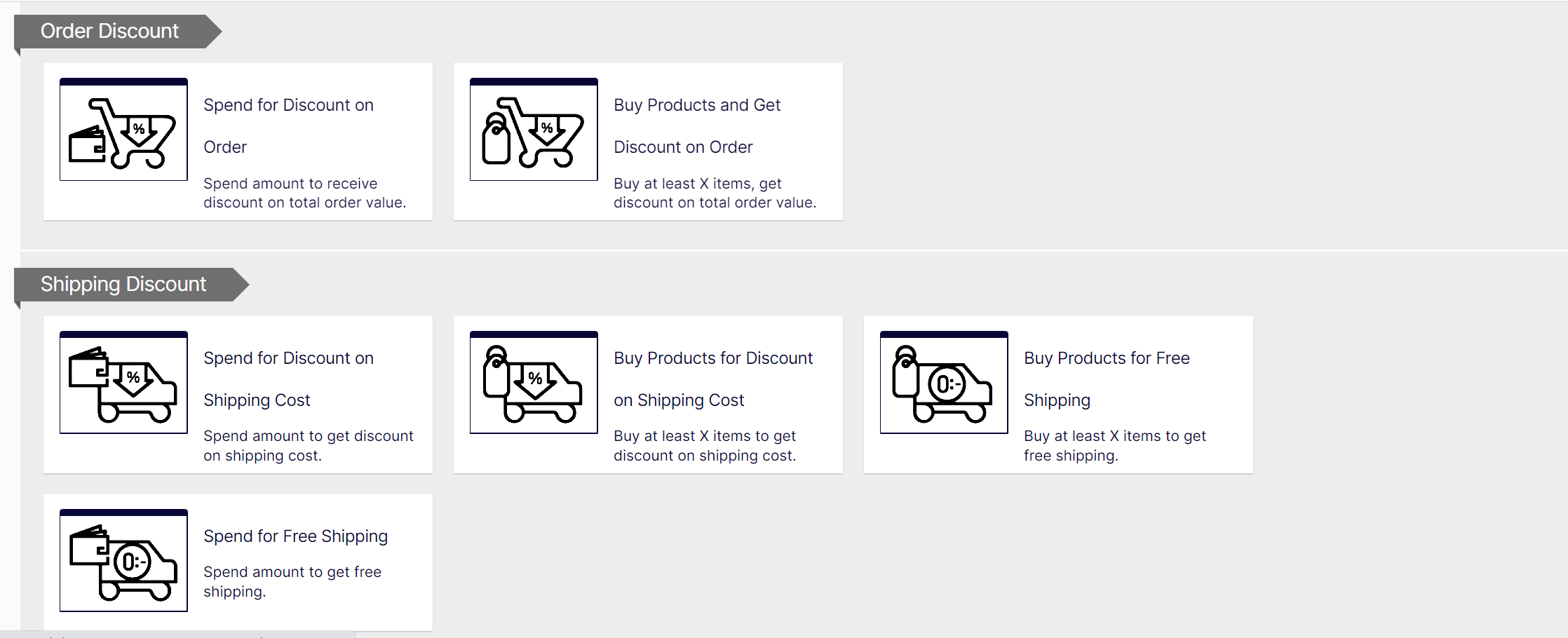
Order discounts
Spend for discount on order
Spend a minimum amount to get a discount on an entire order. The order total excludes shipping and taxes. If a customer applies another discount first, this discount only applies when the order total reaches the minimum after the first discount. This discount is usually limited to once per order.
NoteFor example, you create the discount "Spend at least $1000 and get $100 discount off total order amount" but set no redemption limits. If a customer purchases $2000 worth of items, a $200 discount applies. To limit the discount to $100, set a redemption limit of 1.
This discount has two sections:
- Spend at least – A minimum order value for each currency for which you want to provide a discount. If you do not enter an amount for a currency, no discount is available for it.
- At the following discount – How to calculate the discount.
Buy products and get discount on order
Buy a number of products and reduce the cost of the order. You determine which products are eligible.
This discount has two sections:
- Buy at least X items – The number of items, categories, and products that customers can pick from.
- Get the following discount – The discount as an amount or a percentage.
Shipping discounts
Spend for discount on shipping cost
Spend a minimum amount on an order and get discounted shipping costs. You choose which shipping methods qualify. Consider setting a redemption limit of 1 for this discount.
NoteFor example, you create the discount "Spend at least $100 and get 25% off shipping cost" but set no redemption limits. If a customer purchases $200 worth of items, they get a 25% discount for each $100, equaling a 50% discount. To limit the discount to 25%, set an order redemption limit of 1.
This discount has three sections:
- Spend at least – A minimum order amount needed to qualify for the shipping discount. Enter a minimum qualifying amount for each eligible currency. If you do not enter an amount, the discount is not available in that currency.
- Get selected shipping methods – Shipping method eligible for a discount. This section displays all enabled shipping methods for a campaign's target market. Preceding each method is its market.
- At the following discount – How to calculate the discount.
Buy products for discount on shipping cost
Buy a minimum number of items to get a reduction in shipping cost. For example, buy at least three shirts and get 25% off shipping. You determine which shipping methods are eligible. Consider setting a redemption limit of 1 for this discount.
This discount has three sections:
- Buy at least X items – The number of items, categories, and products that customers can pick from.
- Get selected shipping methods – Shipping method eligible for a discount. This section displays all enabled shipping methods for a campaign's target market. Preceding each method is its market.
- At the following discount – How to calculate the discount.
Buy products for free shipping
Buy a minimum number of items to get free shipping. For example, buy at least three ties and get free shipping. You determine which shipping methods are eligible.
This discount has two sections:
- Buy at least X items – The number of items, categories, and products that customers can pick from.
- Get selected shipping methods – Shipping method for this discount. This section displays all enabled shipping methods for a campaign's target market. Preceding each method is its market.
Spend for free shipping
Spend a minimum amount to get free shipping. For example, spend $100 to qualify for free shipping. Choose which shipping methods are eligible.
This discount has two sections:
- Spend at least – A minimum order amount needed to qualify for free shipping. Enter a minimum qualifying amount for each eligible currency. If you do not enter an amount, the discount is not available in that currency.
- Get selected shipping methods – Shipping method for this discount. This section displays all enabled shipping methods for a campaign's target market. Preceding each method is its market.
Updated 2 months ago