
PriceType examples
Describes how to use Optimizely Commerce Connect APIs to work with PriceType features.
Add custom price types
To add a PriceType, add a new line within the SalePriceTypes of CatalogOptions in the appsettings.json file.
"EPiServer": {
  "Commerce": {
    "CatalogOptions": {
      "SalePriceTypes": [
        {
          "Key": "NewCustomPriceType",
          "Value": "3",
          "Description": "New Custom Price Type"
        },
        {
          "Key": "JurisdictionGroup",
          "Value": "4",
          "Description": "Jurisdiction Group"
        }
      ]
    }
  }
}
NoteThe value must be unique and three or greater.
Get all price types enum and configuration
PriceTypeConfiguration.PriceTypeDefinitions returns all price types, including predefined price types and price types defined in the configuration.
namespace CodeSamples.Mediachase.Commerce.Pricing {
  public class PriceTypeConfigurationSample {
    #region GetPriceTypeFromEnumAndConfiguration
    public IDictionary < CustomerPricing.PriceType, PriceTypeDefinition > GetAllPriceTypeDefinitions() {
      // Get all price types - included predefined and price types from configuration file.
      var priceTypeDefinitions = PriceTypeConfiguration.Instance.PriceTypeDefinitions;
      return priceTypeDefinitions;
    }
    #endregion
  }
}
Add customer price group
Customer Price Group is a predefined price type that should be matched with a specific sale code. Options available to marketers are predefined as: Customer, Partner, and Distributor.
-
Go to Commerce > Catalogs in the top navigation
-
Browse the catalog tree to find your product (for example, Fashion > Mens > Mens Shoes)
-
Click on the variant/SKU you want to edit prices for (not the product — it must be a variant)
-
Select the All Properties view.
-
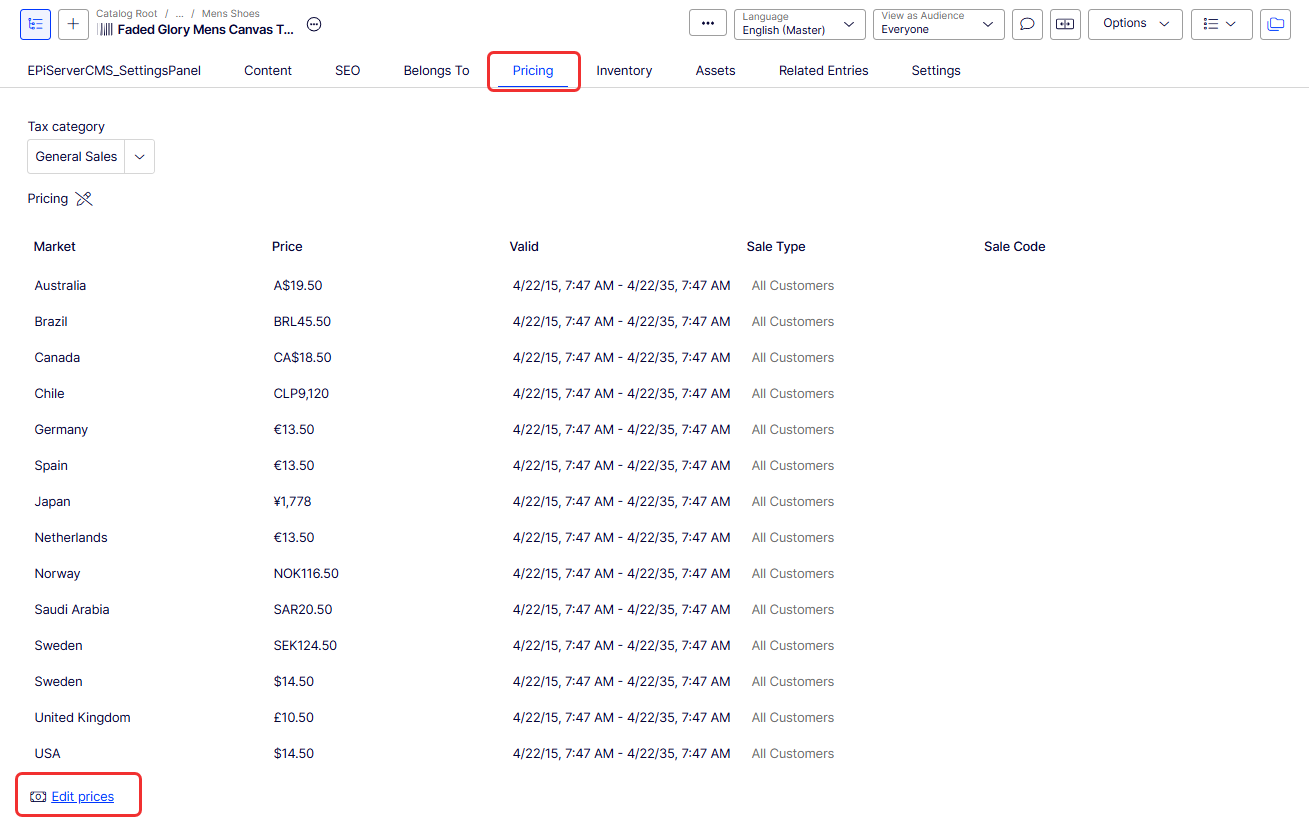
Open the Pricing tab.
-
Click Edit prices. The Edit Prices window displays.
-
You can modify numerous fields on the Edit Prices window. Or click New Price to create your own customer price.
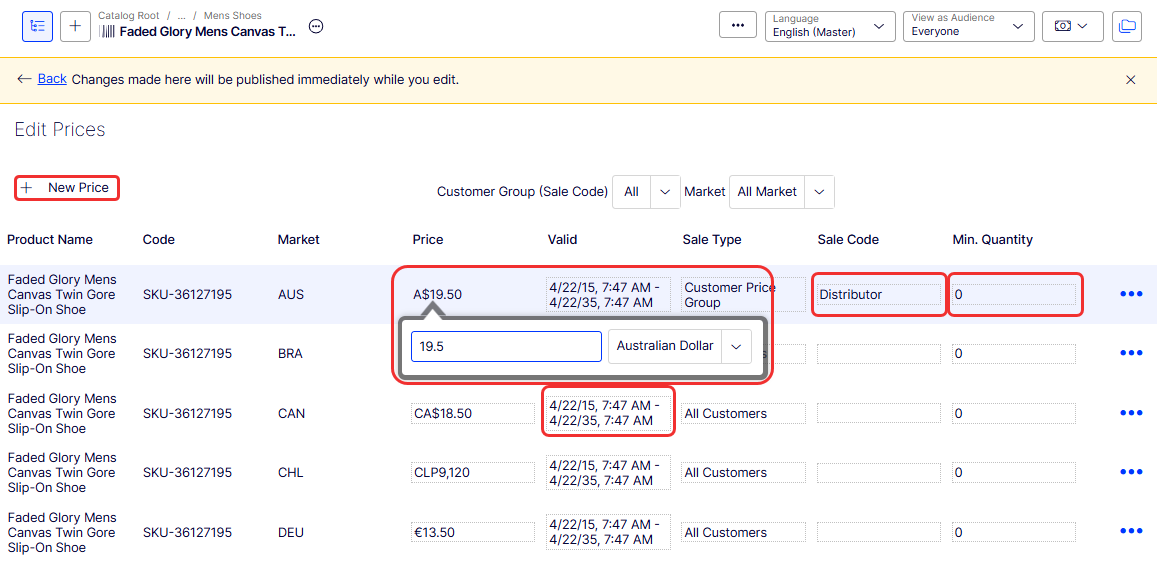
Populate the list by adding the code in the following example, then call it from your initialization system.
private void AddVIPCustomerPriceGroup() {
  var metaFieldType = DataContext.Current.MetaModel.RegisteredTypes["ContactGroup"];
  var metaEnumItems = MetaEnum.GetItems(metaFieldType);
  var hasVIPGroup = metaEnumItems.Any(item => string.Equals(item.Name, "VIP", StringComparison.InvariantCultureIgnoreCase));
  if (!hasVIPGroup) {
    var lastIndex = metaEnumItems.Count();
    MetaEnum.AddItem(metaFieldType, "VIP", ++lastIndex);
  }
}
Updated 2 months ago