
Manage CMS (SaaS) settings
Information on the CMS (SaaS) system settings for content administrators.
ImportantThis section is for CMS administrators and developers with administrator access rights and applies to the SaaS version of the CMS user interface.
An administrator configures system settings from the administration UI, including search, languages, personalization, and user access. Administrators usually have extended access rights compared to other user groups and can access all parts of the Optimizely platform. Administrators also typically have administration access to integrated third-party systems. The administrator is often the contact person who communicates with the application developers.
NoteYou must have at least CMS administration privileges to see the CMS (SaaS) Settings.
Select Settings for administrative functions.
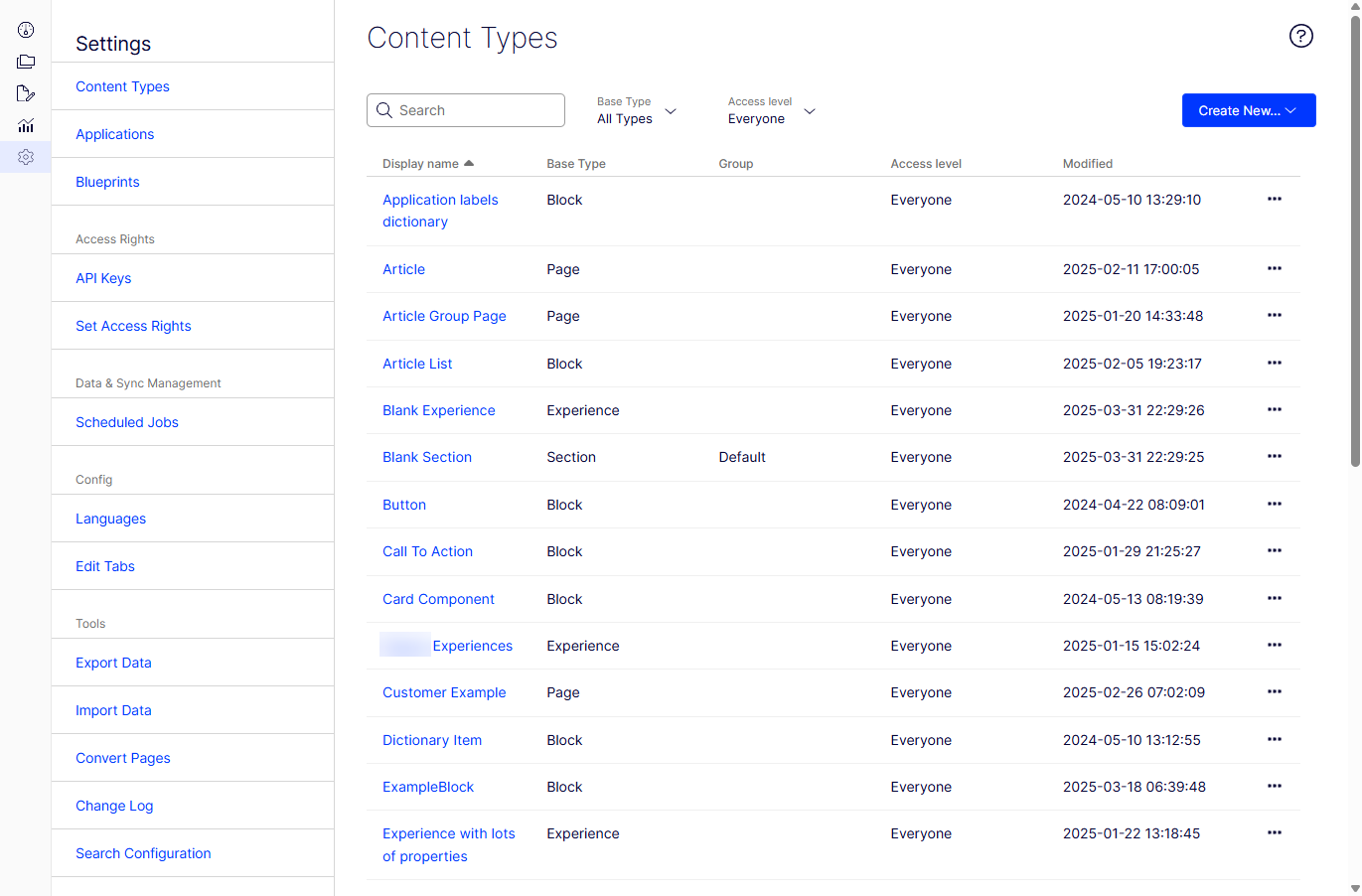
The Settings view in CMS contains core administration features for the Optimizely platform where you manage:
- Content Types
- Applications
- Blueprints
- Form Settings
- Access rights
- Data & Sync Management
- Config
- Tools
See also the Properties section.
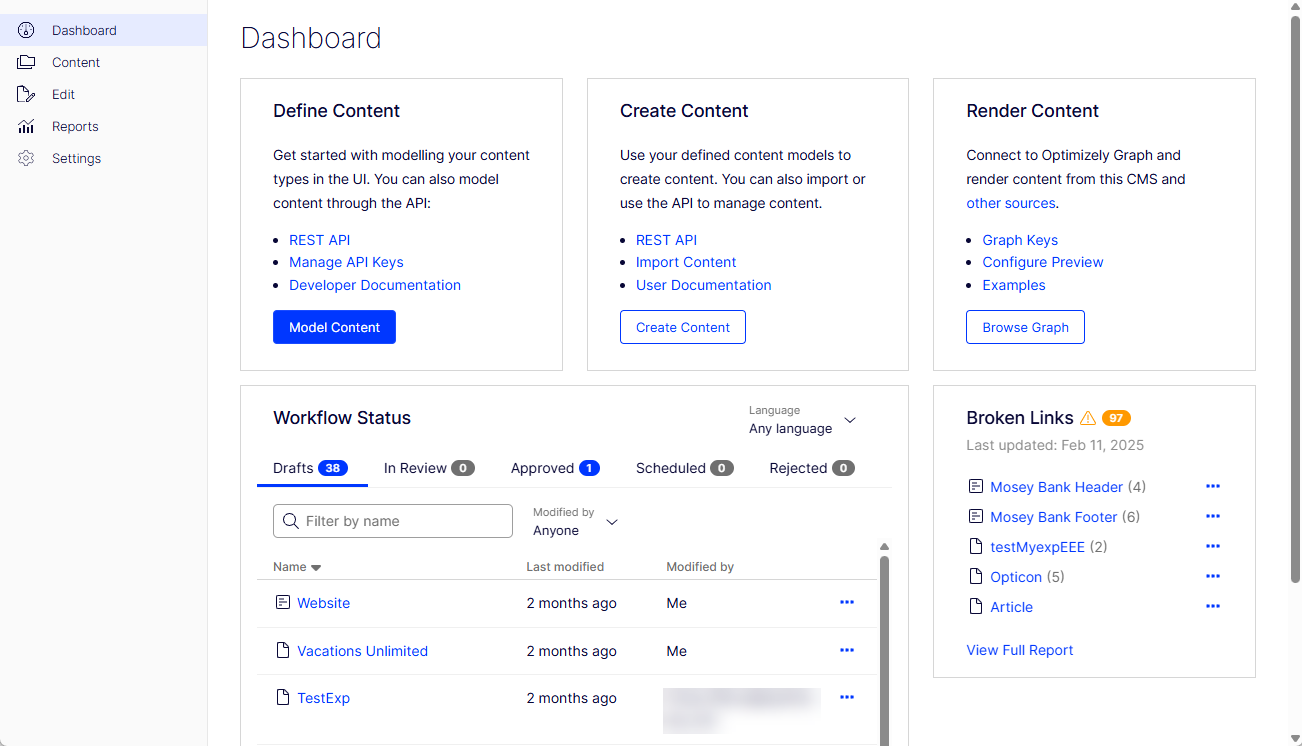
NoteYou must have at least CMS edit privileges to see the CMS dashboard. Administrators often use the dashboard extensively.
The CMS (SaaS) dashboard displays information about your content that lets you access it from one place. Numbers are displayed on each tab; to update the numbers, click on the tabs.
Updated 2 months ago