
Optimizely Agent
Overview of Optimizely Feature Experimentation Agent.
Optimizely Agent is a standalone, open-source and highly available microservice that provides major benefits over using Optimizely Feature Experimentation SDKs in certain use cases. The Agent REST API Config Endpoint offers consolidated and simplified endpoints for accessing all the functionality of the SDKs.
Example implementation
A typical production installation of Optimizely Agent is to run two or more services behind a load balancer or proxy. The service can be run with a Docker container, on Kubernetes through Helm, or installed from the source. See Configure Optimizely Agent for instructions on how to run Optimizely Agent.
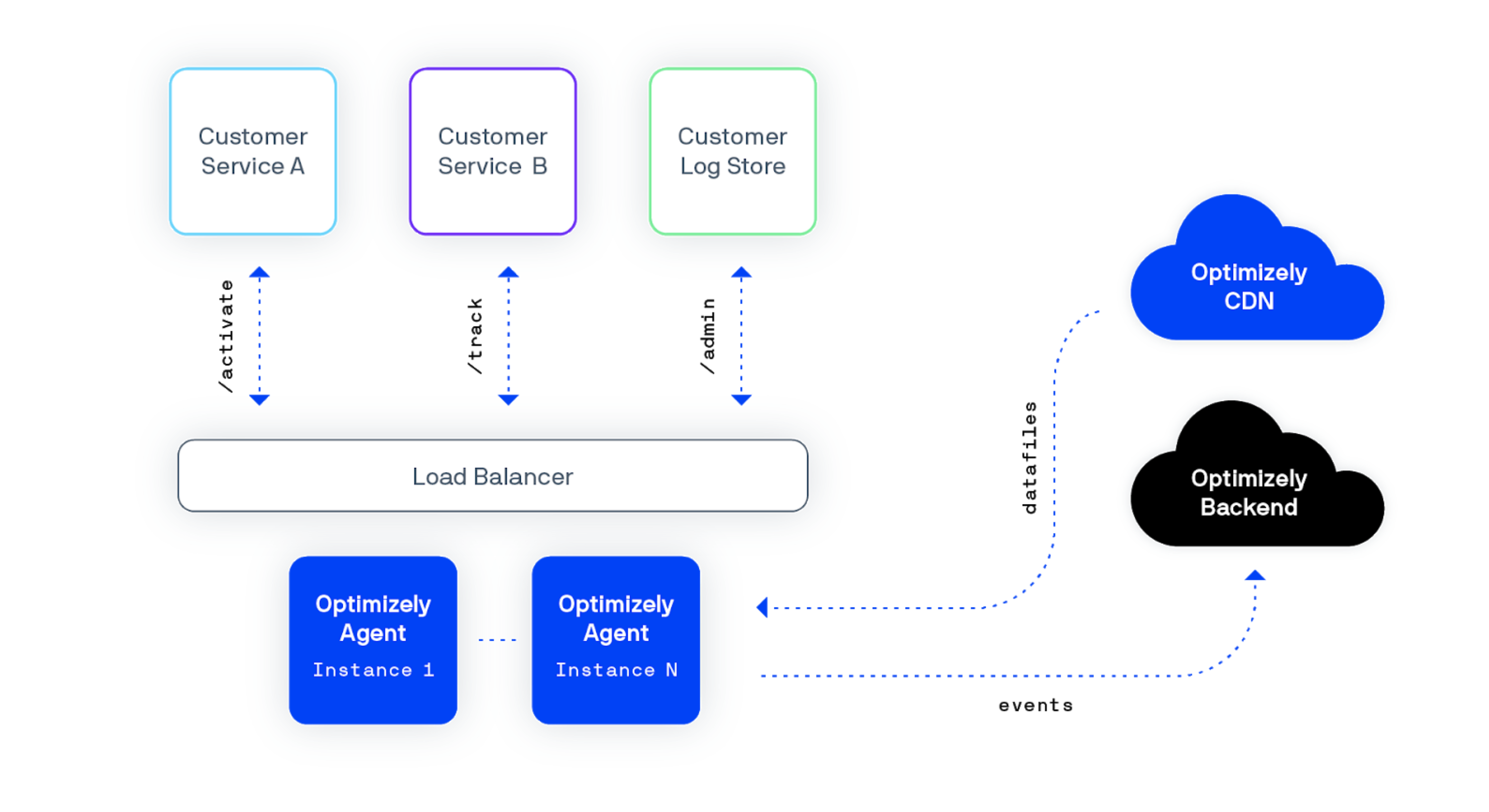
Click to enlarge image
Reasons to use Optimizely Agent
The following are reasons to use Optimizely Agent instead of an embedded SDK:
Service-oriented architecture (SOA)
If you already separate some of your logic into services that might need to access the Optimizely decision APIs, Optimizely Agent is a good solution.
The following images compare implementation styles in a service-oriented architecture.
First without Optimizely Agent, which shows six SDK embedded instances.
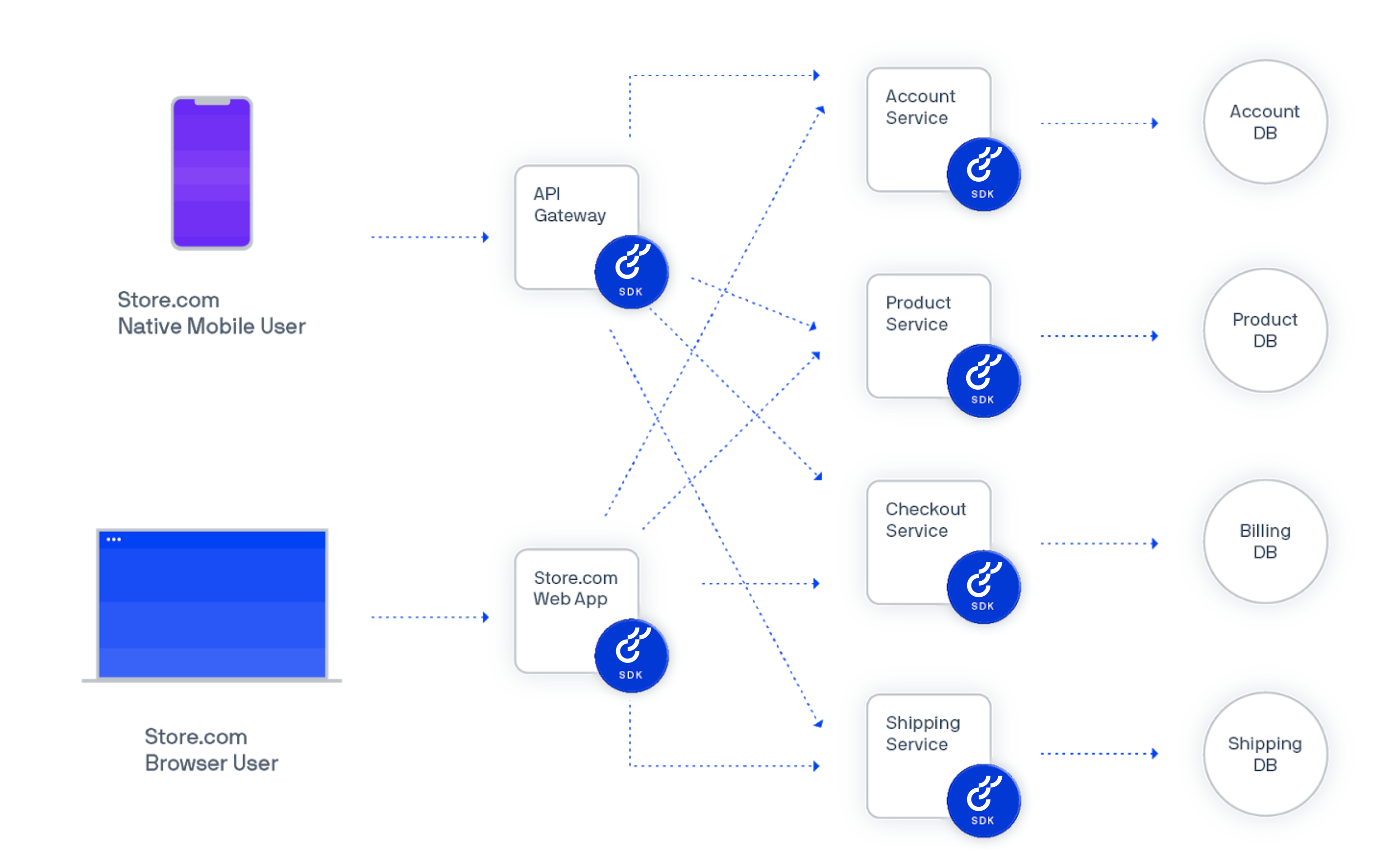
A diagram showing the use of SDKs installed on each service in a service-oriented architecture
(Click to enlarge)
Now with Optimizely Agent. Instead of installing the SDKs six times, you create just one Optimizely instance with an HTTP API that every service can access as needed.
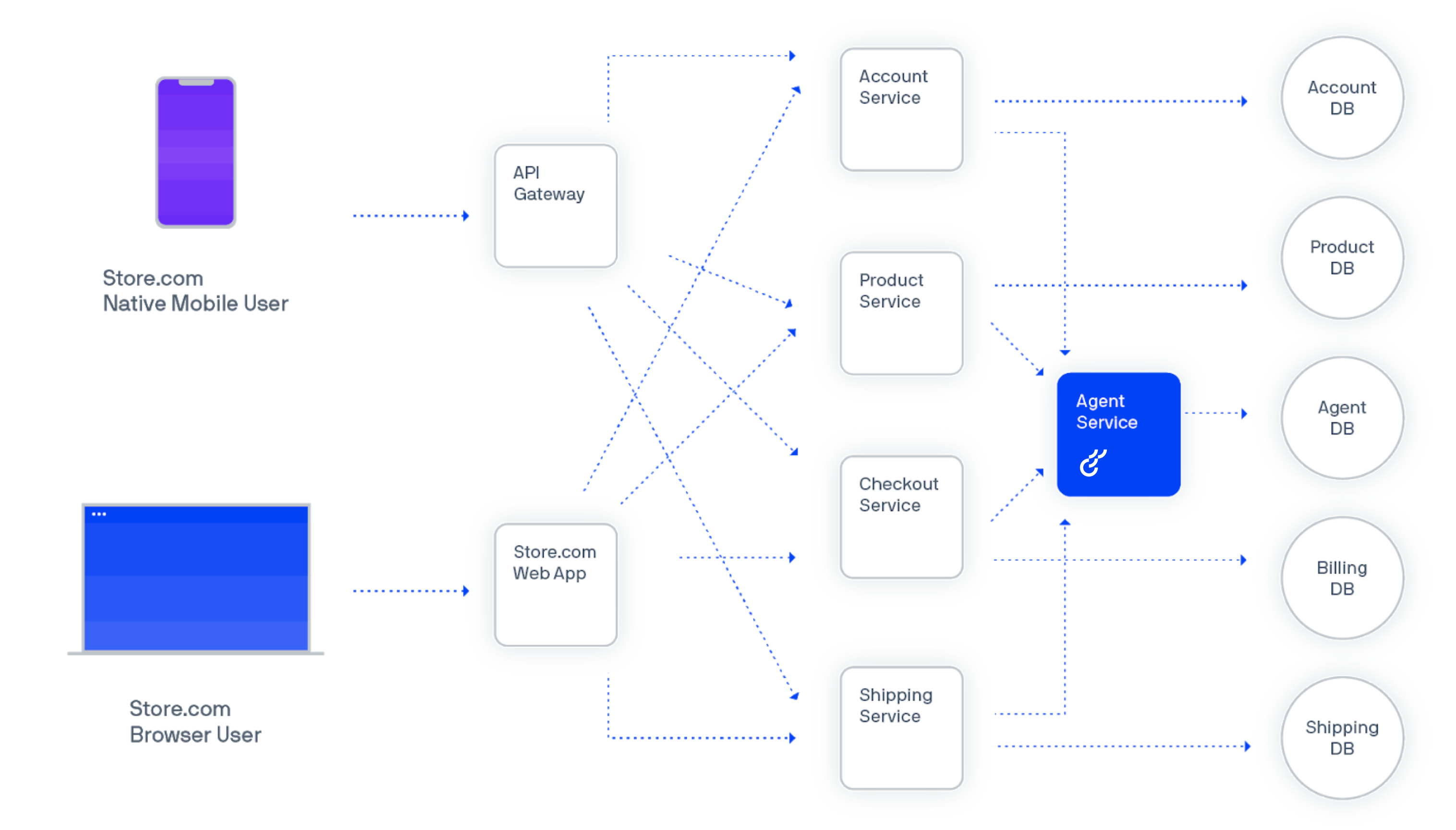
A diagram showing the use of Optimizely Agent in a single service
(Click to enlarge)
Standardized access across teams
Optimizely Agent is a good solution if you want to deploy Feature Experimentation once and roll out the single implementation across many teams.
By standardizing your teams' access to Optimizely, you can enforce consistent processes for feature management and experimentation.
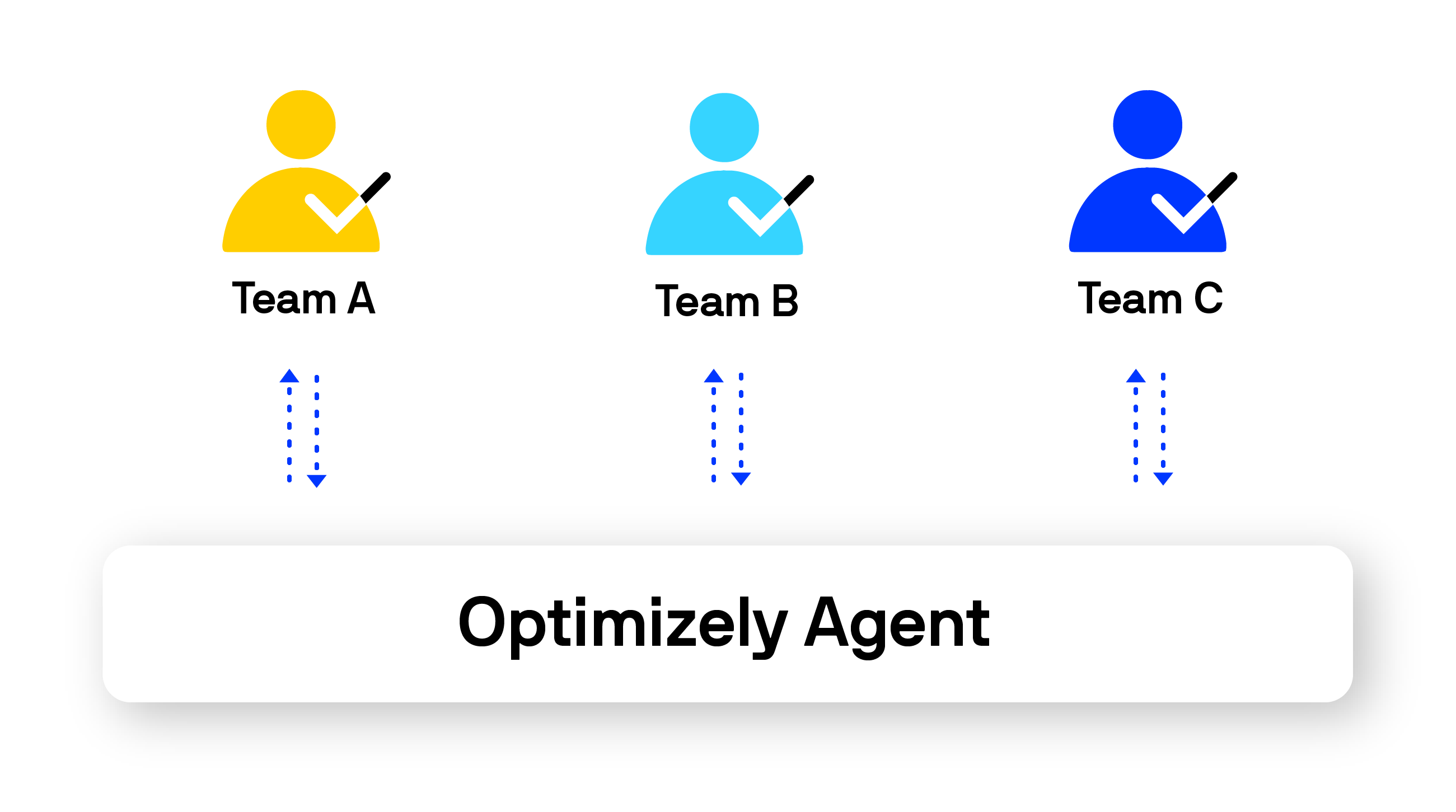
A diagram showing the central and standardized access to the Optimizely Agent service across an arbitrary number of teams.
(Click to enlarge)
Network centralization
Running many SDK instances means every node in your application connects to Optimizely's cloud service. Optimizely Agent centralizes this into a single network connection. Only one cluster of agent instances connects to Optimizely for tasks like update datafiles and dispatch events.
Preferred programming language is not offered as a native SDK
You are using a programming language not supported by a native SDK. For example, Elixir, Scala, or Perl. While you can create your own service using an SDK of your choice, you could also customize the open-source Agent to your needs without building the service layer on your own.
Considerations for Optimizely Agent
Before implementing Optimizely Agent, consider whether it aligns with your technical requirements. If you decide not to use Agent, you can implement one of the many open-source SDKs instead.
Latency
If virtually instant performance is critical, you should use an embedded SDK instead of Agent.
- Feature Experimentation SDK – Microseconds
- Optimizely Agent – Milliseconds
Architecture
If your app is constructed as a monolith, embedded SDKs might be easier to install and a more natural fit for your application and development practices.
Speed of getting started
If you are looking for the fastest way to get a single team started with deploying feature management and experimentation, embedding an SDK is the best option for you at first. You can always start using Optimizely Agent later, and it can even be used alongside Feature Experimentation SDKs running in another part of your stack.
Important information about Agent
Scale
Optimizely Agent can scale to large decision and event tracking volumes with relatively low CPU and memory specs. For example, at Optimizely, Optimizely scaled the deployment to 740 clients with a cluster of 12 agent instances, using 6 vCPUs and 12GB RAM. You will likely need to focus more on network bandwidth than compute power.
Load balancer
Any standard load balancer should let you route traffic across your agent cluster. At Optimizely, Optimizely used an AWS Elastic Load Balancer (ELB) for the internal deployment. This let Optimizely scale the Agent cluster as internal demand grew.
Datafile synchronization across Agent instances
Agent offers eventual consistency, rather than strong consistency across datafiles.
Each Agent instance maintains a dedicated, separate cache. Each Agent instance maintains an SDK instance for each SDK key your team uses. Agent instances automatically keep datafiles up to date for each SDK key instance so that you will eventually have consistency across the cluster. The rate of the datafile update can be set as the configuration value OPTIMIZELY_CLIENT_POLLINGINTERVAL (the default is 1 minute).
If you require strong consistency across datafiles, you should use an active/passive deployment where all requests are made to a single vertically scaled host, with a passive, standby cluster available for high availability in the event of a failure.
Updated 2 months ago