
Get started with Optimizely Web Experimentation JavaScript API
How to get started with Web Experimentation.
Follow these steps to get started using Optimizely Web Experimentation's JavaScript API.
Log in to your Optimizely account
Log in at https://app.optimizely.com/signin.
Implement the Optimizely snippet
If you are not already running Web Experimentation, you need to add the Optimizely snippet to the head section of your web page. See Implement the one-line snippet for Optimizely Web Experimentation for detailed instructions on how to add the Optimizely snippet for your project.
WarningDo not modify the snippet. Copy and paste it onto your site exactly as you see it within Optimizely Web Experimentation or Optimizely Personalization. Otherwise, Optimizely may not run correctly on your site.
For example, do not add an
id="optimizely"attribute to the script.
Start an experiment
To see the Optimizely JavaScript API in action, you should have at least one experiment running on your web page. See Get started with Optimizely Web Experimentation for detailed instructions on how to configure and run an experiment.
Read from the Data Object
The JavaScript API has a window["optimizely"].get() function that gives you access to the data you have saved in your project (campaigns, experiments, pages, events, audiences). With this function, you can also get information about the current state of Optimizely in the browser.
To access data you've saved, open your browser's developer console and enter window["optimizely"].get('data').
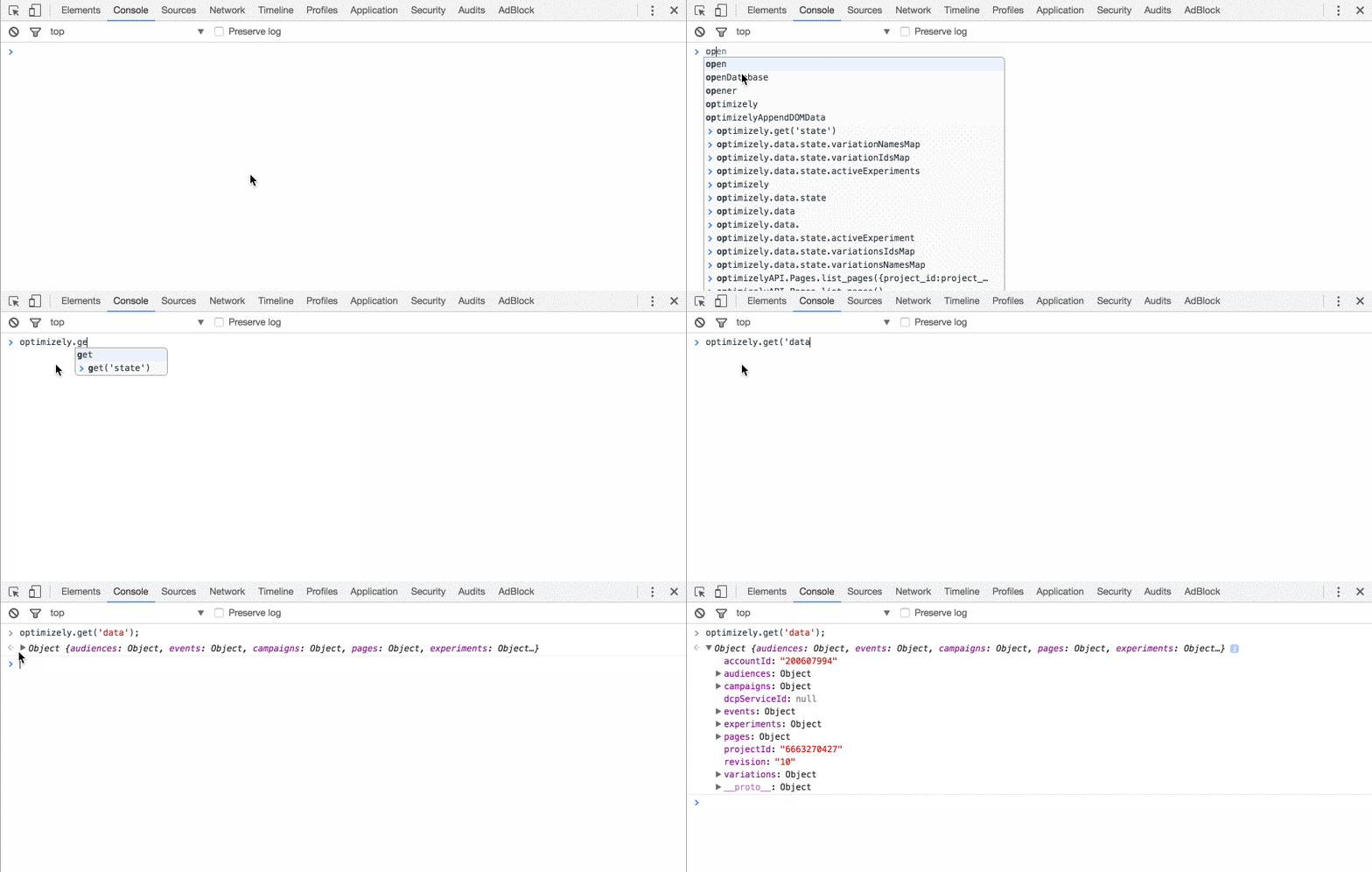
You can also access data about the current visitor by entering window["optimizely"].get('visitor') or get to the current state of the campaigns and experiments that are running by entering window["optimizely"].get('state').
Make an API call
In addition to reading data, you can also track common user interactions and use API functions to develop experiences and influence the execution of Optimizely on a page.
The API function calls expose many of Optimizely's decisions and actions so you can take control.
One example is starting experiments manually rather than upon page load, which is useful for testing dynamic web pages. Your application can tell Optimizely when to activate these "manual activation mode" experiments with the activate API function. Another example is using the bucketVisitor API function to assign visitors to a specific variation if you want to incorporate inputs that Optimizely's traffic allocation algorithm does not.
If you have any questions about using the JavaScript API, you can submit a ticket to Optimizely Support.
Updated about 2 months ago