
Use case: Vercel deployment
Example use case of using Vercel webhooks with Optimizely Graph.
A deploy hook in Vercel lets you programmatically trigger deployments of your projects. Register the deploy hook with the Optimizely Graph webhook API to redeploy your Vercel project automatically when content updates or data source changes occur in Optimizely Content Management System (CMS), so your production site stays aligned with the latest published content.
Prerequisites
Before you start, confirm the following:
- A Vercel account with permission to create or modify a project and generate a deploy hook.
- An active Optimizely Graph instance with a configured CMS source.
- Basic or HMAC credentials for the Optimizely Graph webhook API.
- Access to the Optimizely CMS Dashboard for the same project so you can publish a test change.
Create a deploy hook
Create a deploy hook in Vercel first, because the URL it returns is the destination you register with Optimizely Graph in the next section.
-
Log in to your Vercel account. Sign up for free if you do not have an account.
-
Create a Vercel project or select an existing one to configure the deploy hook against.
-
Generate a deploy hook URL.
- Click the project name in the Vercel dashboard to open project settings.
- In Deploy Hooks, click Add or Create Deploy Hook.
-
Configure the deploy hook.
-
Enter a name that identifies the deploy hook's purpose (such as Optimizely Graph Deploy).
-
Select the target branch or branches that the deploy hook targets. Specify a single branch name or use a wildcard character to match multiple branches.
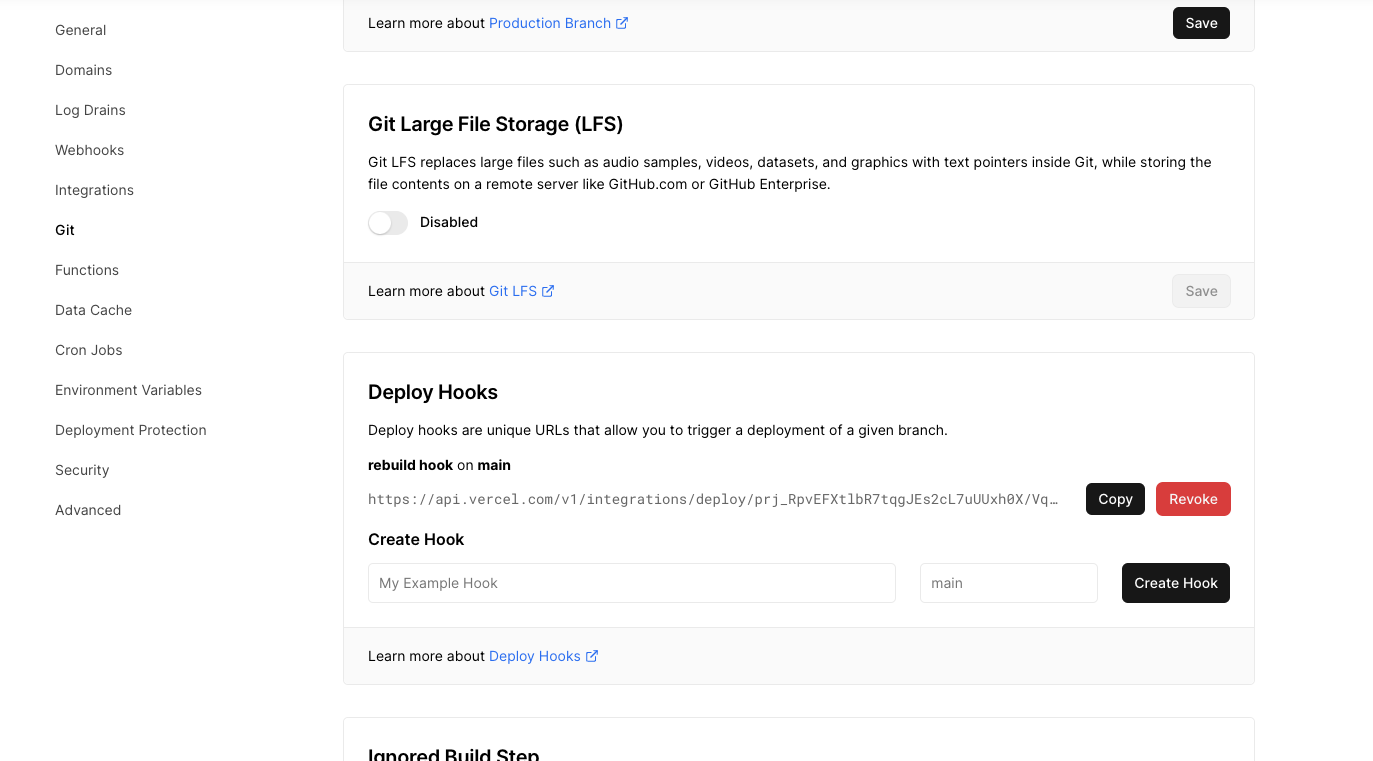
-
-
Save the deploy hook configuration.
-
Copy the generated deploy hook URL. You register this URL with the Optimizely Graph webhook API in the next section.
Register the deploy hook with the Optimizely Graph webhook API
Register the Vercel deploy hook with Optimizely Graph so that content events in CMS trigger an automated deployment in Vercel without manual coordination.
- Make a POST request to
https://cg.optimizely.com/api/webhooksfrom a tool or library of your choice, such as cURL, Postman, or an HTTP client library. - Use either Basic or HMAC authentication in the request.
- In the request payload, include the required parameters, including the URL endpoint obtained from Vercel and any other configuration your deployment requires.
- Send the request and wait for the response from the Optimizely Graph webhook API.
- Record the unique identifier the API returns in the registration response. You need it to manage or delete the webhook later.
Test the integration
Test the integration end-to-end so you can confirm that a CMS content change triggers a Vercel deployment before you rely on the workflow in production.
-
Open the Optimizely CMS Dashboard for your project.
-
Modify a content item that should trigger a deployment. For example, update the content, modify metadata, or change the structure of a content type.
-
Save the changes in the Optimizely CMS Dashboard. This action triggers a webhook event and notifies Vercel to begin the deployment.
-
Monitor the Vercel deployment logs or any relevant output to confirm that Vercel received and processed the webhook event.
-
Verify the deployment completes in Vercel.
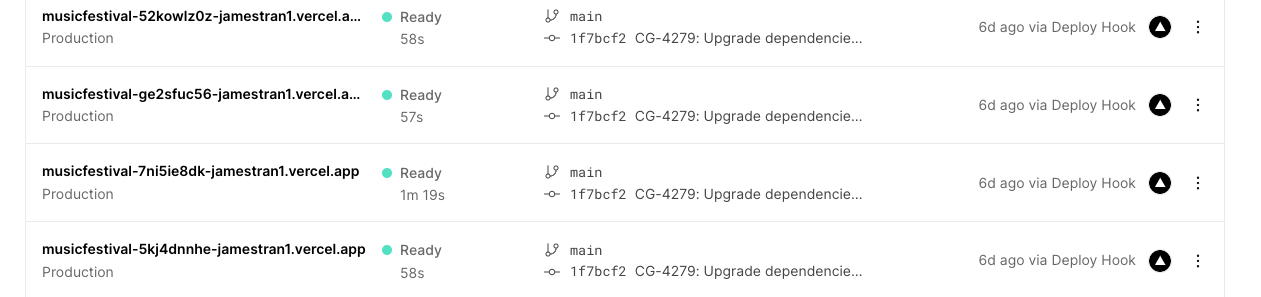
For monitoring and troubleshooting guidance, review the documentation for Vercel deploy hooks, the Optimizely Graph webhook API, and Optimizely CMS.