
Synonyms in Search Management portal
Manage synonyms in Search Management portal to map equivalent terms so different queries return the same relevant results in Optimizely Graph search.
BetaSearch Management portal is in beta. Access this feature when you have the following:
- Opti ID
- Optimizely Graph instance access
Synonyms expand search query matching by defining relationships between terms. Use synonyms to map equivalent phrasings, technical and common names, or product variations so that different queries return the same relevant results.
How synonyms work
Search Management portal supports two synonym types.
- One-way synonym – A query for the source term also returns results for the target terms, but not the reverse. For example, the rule
H2O => waterreturns water results for H2O searches. Searches for water do not return H2O results. - Two-way synonym – A query for any term in the group returns results for every term in the group. For example, the rule
sofa, couchreturns sofa results for couch searches and couch results for sofa searches.
Set up synonyms
The Search Management portal lets content marketers manage synonyms from the portal. Before they can do so, a developer must add synonym support to your search query. For implementation details, see synonyms.
After the search query supports synonyms, content marketers can create, update, and delete synonyms from the portal as the following sections describe.
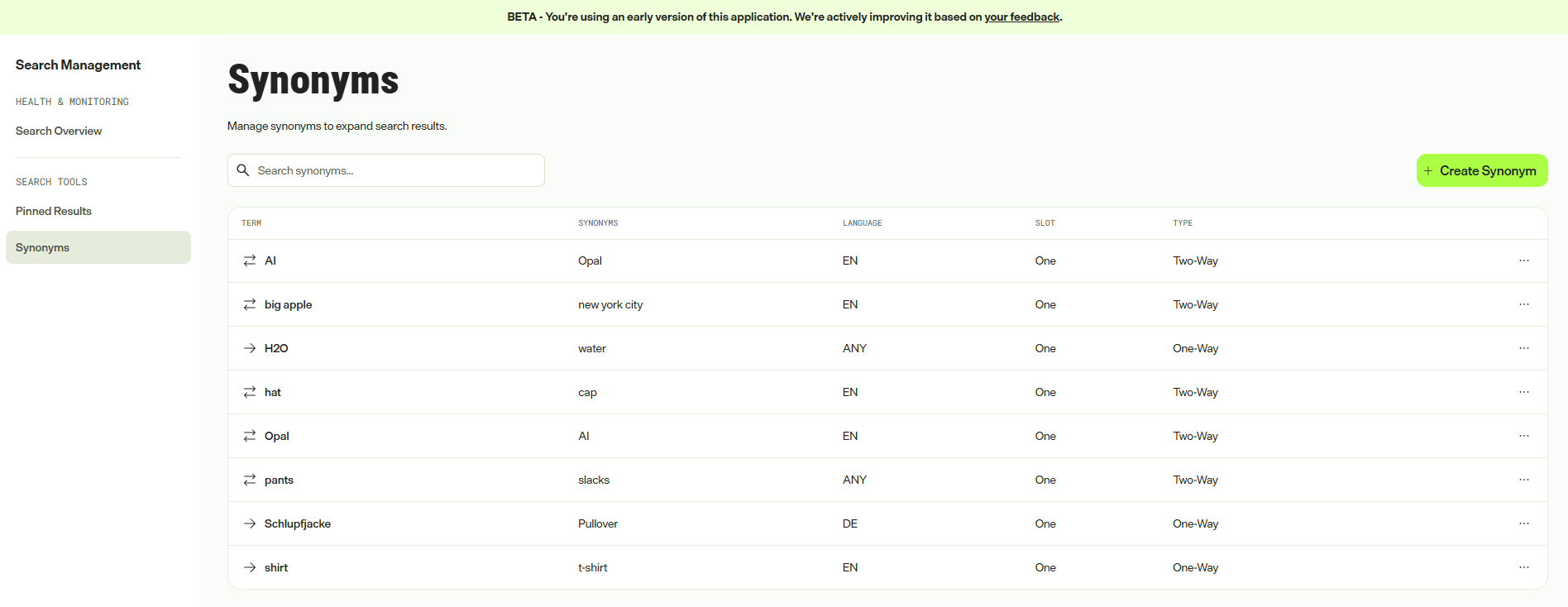
Create a synonym
- Under Search Tools, click Synonyms.
- Click + Create Synonym.
- Complete the following fields:
- Terms – Enter the term you want to create a synonym for.
- Synonyms – Enter synonyms.
- Type – Select One-way or Two-way.
- Language – Select the language for this synonym rule.
- Click Create.
Synonyms take effect within minutes.
Update a synonym
- Click More options for the synonym you want to change.
- Click Edit.
- Modify the fields as needed.
- Click Save Changes.
The update propagates within minutes.
Delete a synonym
- Click More options for the synonym you want to delete.
- Click Remove.
- Confirm the deletion.
Updated 2 months ago